


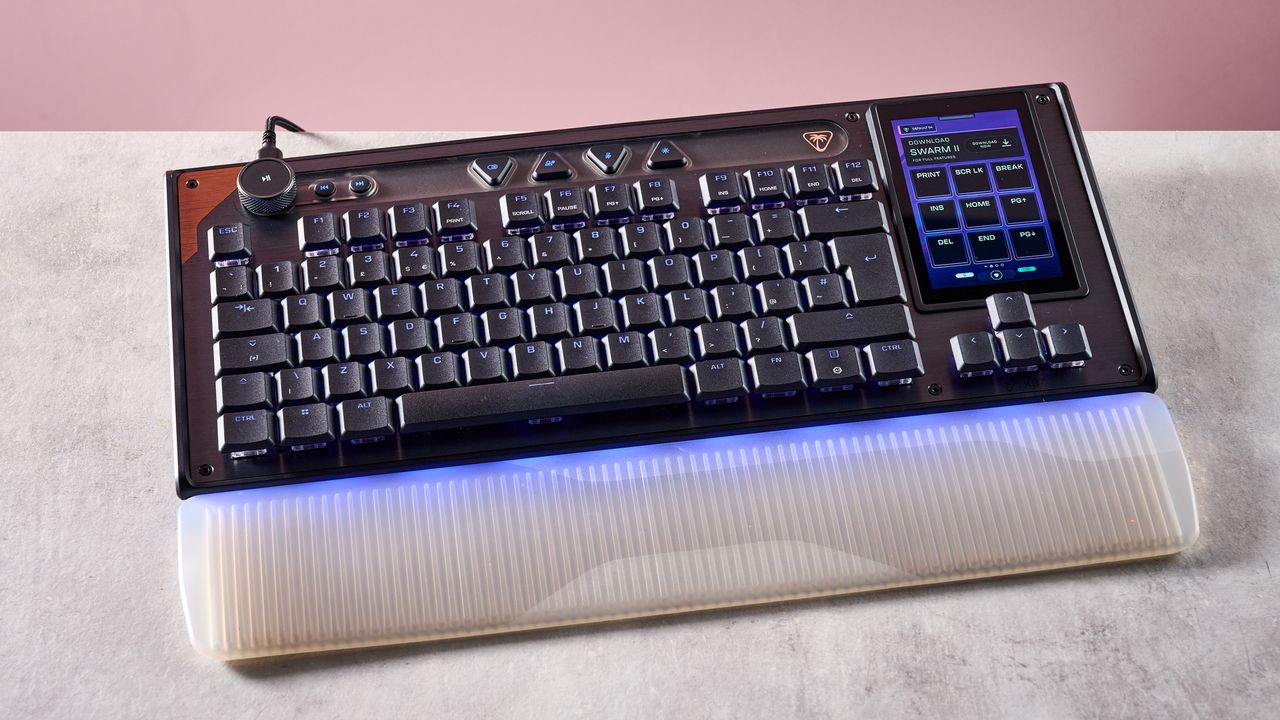
Turtle Beach Command Series KB7: one-minute review
Want a high-performing gaming keyboard with an integrated touchscreen for streaming and seamless customization? Then the Turtle Beach Command Series KB7 could be exactly what you’re looking for.
I replaced my usual mechanical keyboard with this TKL model for a few days, and instantly found it to be a joy to use. The low-profile Hall effect switches supply precise, responsive, and buttery smooth typing, with a muted sound that’s great for focusing in-game or for general day-to-day productivity. It’s less ‘clicky’ and snappy than some may like, but the lowkey sound and feel was ideal for me.
Like a lot of the best gaming keyboards, there’s also 8K polling, alongside 0.125 latency for instant response typing. On top of this, you get important features like Rapid Trigger, adjustable actuation and remappable keys.
The true highlight, though, is the integrated 4.3-inch touchscreen. This has built-in controls for streamers, providing quick access to OBS and StreamLabs, but also has shortcuts for apps like Spotify and Steam among others. I appreciated how you could use the screen to view PC performance, in-game stats, or set web page bookmarks. You can also use the touchscreen as a numpad, and it feels highly responsive in use.
I also really like the design of the KB7. Its slim aluminum chassis, tactical media control knob, customizable RGB lighting, and generally high standard of build help it to feel worth its relatively high asking price.
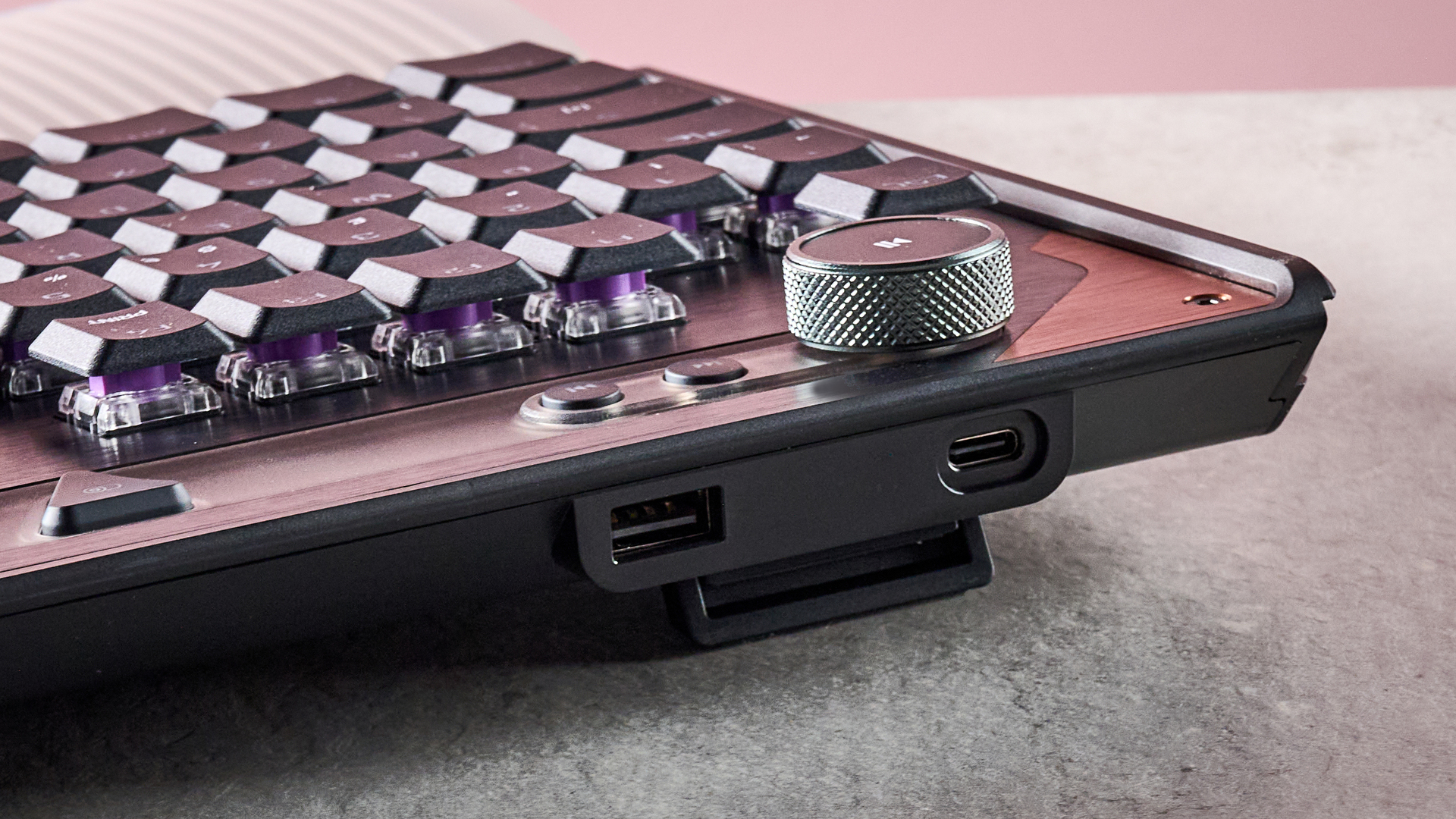
There’s no battery option if you want to use the keyboard wirelessly, largely due to the power required to keep the touchscreen going, but those focused on optimized performance will want to go for a wired option anyway. And all things considered, I think the Turtle Beach KB7 is a fantastic gaming keyboard, and one I just might have to continue using for all my PC gaming needs.
Turtle Beach Command Series KB7 review: price & availability
- $199.99 / £189.99 / AU$349
- Released in May 2026
- Arrived alongside Turtle Beach’s KB5 keyboard
The Turtle Beach Command Series KB7 was released in May 2026 alongside the Command Series KB5 — a full-sized keyboard with a smaller touchscreen and mechanical switches.
Unsurprisingly, then the KB7 is pricier than its sibling, and has a list price of $199.99 / £189.99 / AU$349. It goes without saying that it’s undoubtedly a pricey keyboard, but for a TKL with this much tech, it’s not too far from the competition. For instance, the Corsair K70 Pro TKL, which comes without a touchscreen, will typically set you back about $179.99 / £169.99 / AU$239.
Turtle Beach Command Series KB7 review: specs
|
Layout |
TKL |
|
Switch |
Titan Low-Profile Hall Effect |
|
Programmable keys |
Yes |
|
Dimensions |
15.7 x 10.1 x 1.2 inches / 399 x 256 x 31mm (with palm rest) |
|
RGB or backlighting |
Yes (customizable) |
Turtle Beach Command Series KB7 review: design & features
- Great standard of build
- Touchscreen with streaming controls
- Customizable lighting
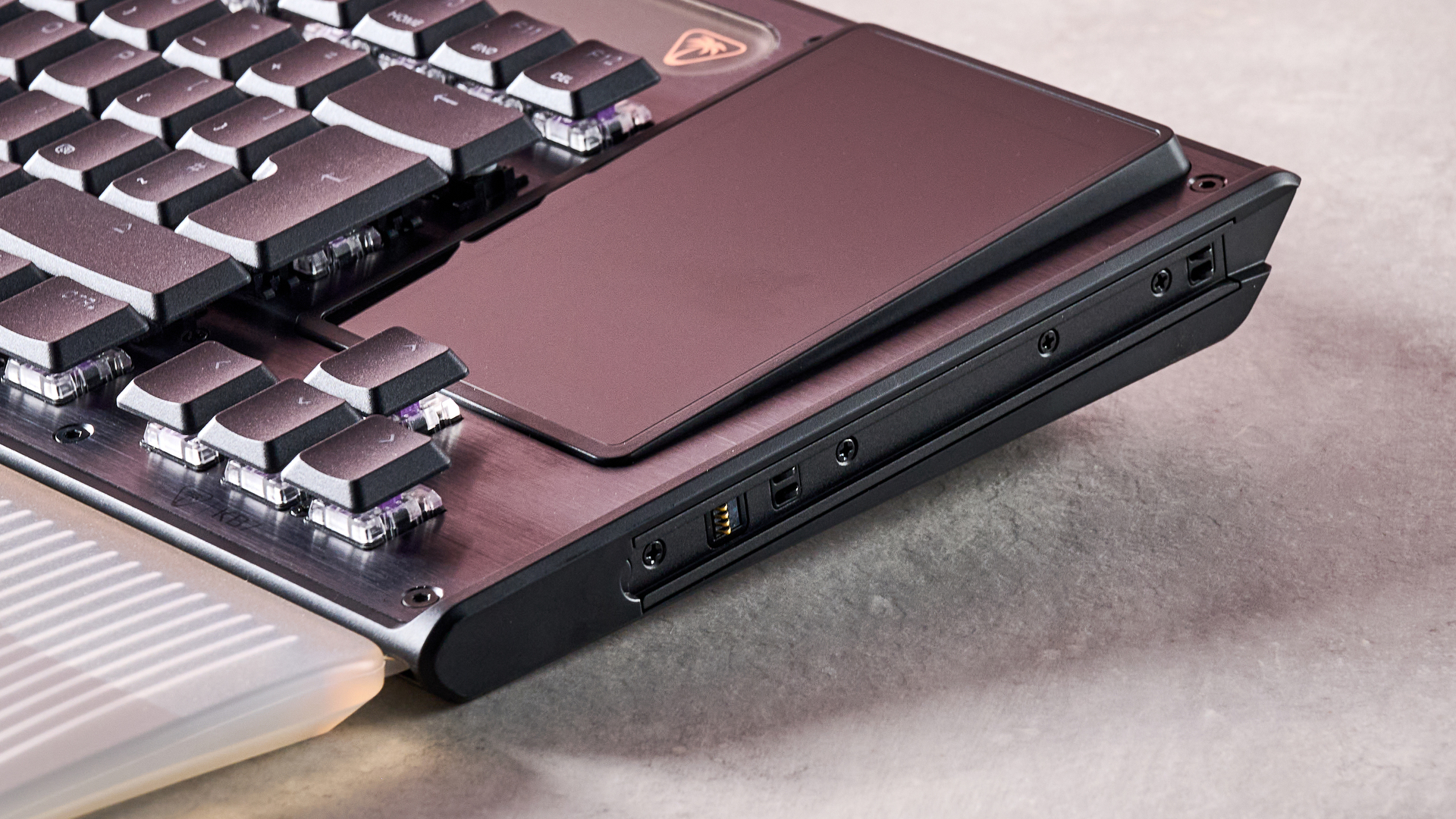
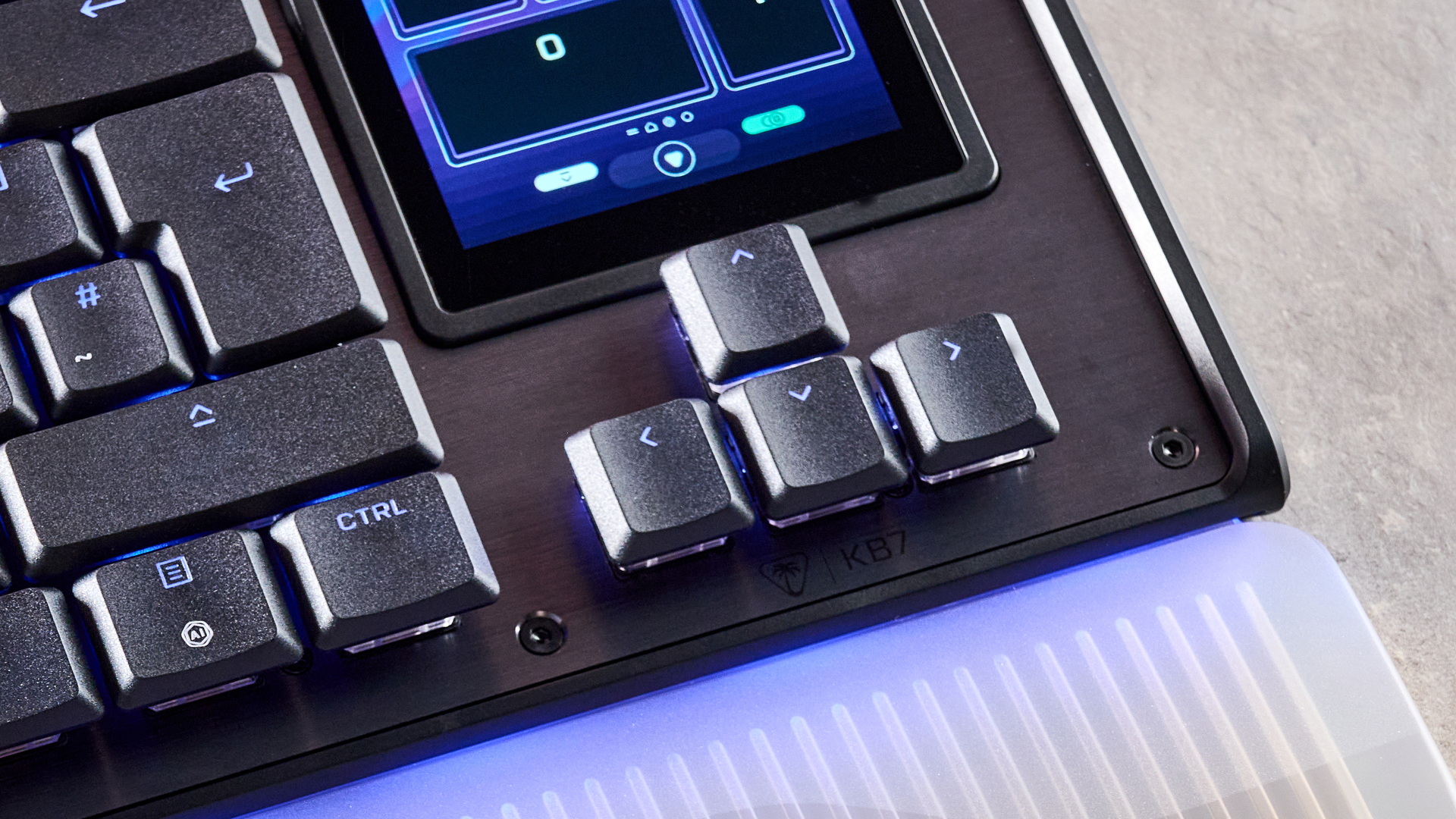
First things first, I have to say that the build and quality of the KB7 impressed me. It has a slim aluminum chassis, stylish and sleek look, and premium-feeling keycaps. The keyboard also has a modular design, meaning you can add on the Turtle Beach KP7 keypad as well as the included wrist rest.
And I found said wrist rest to be a great addition — it’s comfortable, well-made, and ensured that using the keyboard for extended periods still felt comfortable. The only real downside is that it increases the keyboard’s footprint a fair bit, so you’ll need a decent-sized desk if you’ve also got a PC / laptop hooked up to a couple of monitors like I do. It’s also worth noting that the KB7 has a double kickstand, and this also helped to reduce fatigue after furiously typing for multiple work days in a row.
The keyboard also features customizable per-key RGB lighting with Turtle Beach’s Swarm II software, accessible via the built-in touchscreen. In my view, the lighting looks great, especially in low-lit conditions. I also really like how there’s an option to create dynamic effects and sync your lighting setup across multiple devices.
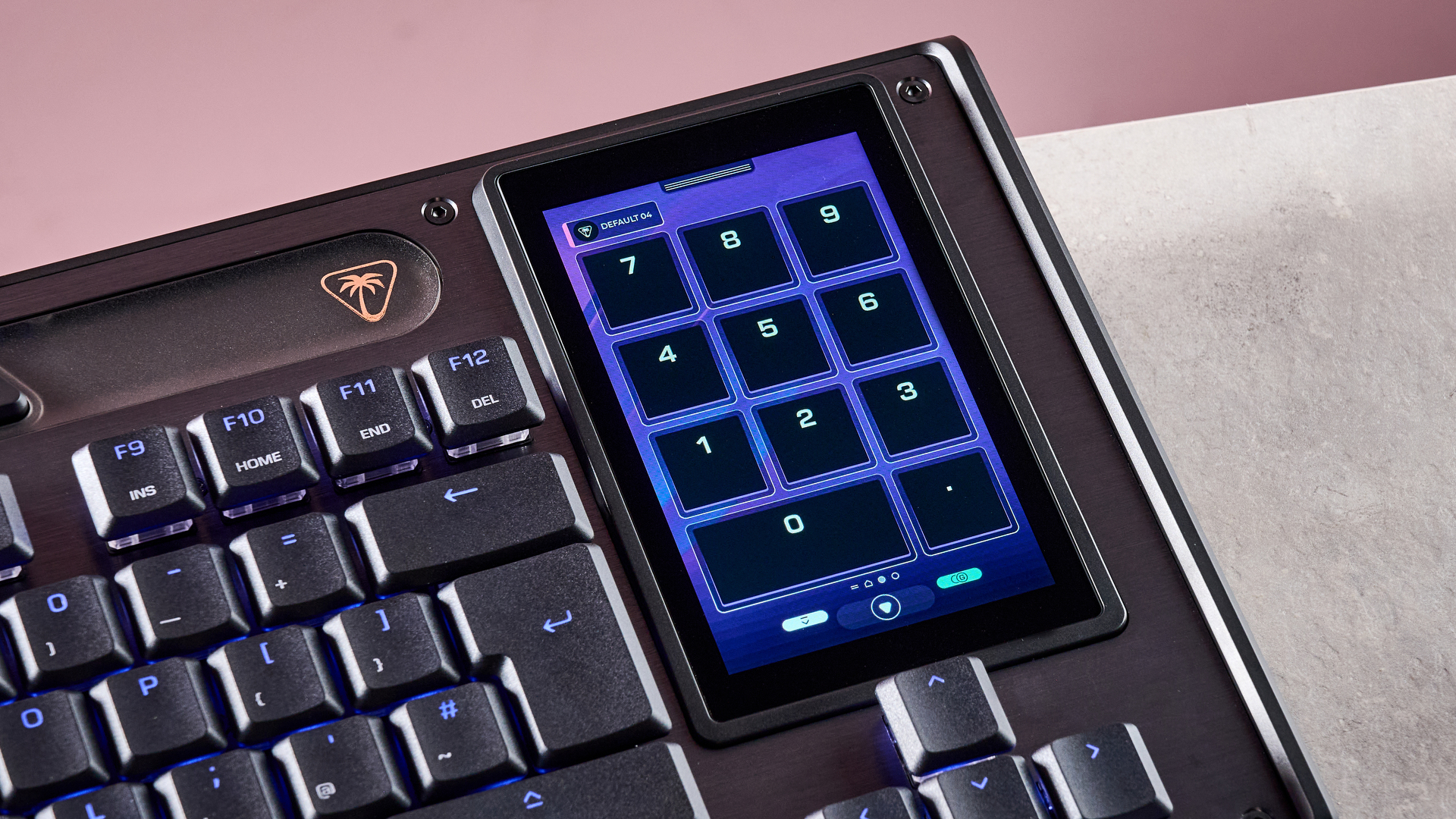
I touched on it a moment ago, but the stand-out feature of the KB7 is the built-in touchscreen. The real highlight here is that the touchscreen features streaming controls. You can easily access OBS and StreamLabs with a single button touch. It’s a useful inclusion, but if you’re not a streamer, there are options for you too. For instance, you can use the touchscreen to set shortcuts for apps like Steam and Spotify, or for websites you frequently visit — you know, like TechRadar.
What’s more, the Swarm II software enables you to personalize aspects like Rapid Trigger and actuation settings or remap keys. You can actually alter the actuation of every key individually, and while I don’t expect most users will need that level of granular control, the sheer degree of customization is undoubtedly impressive.
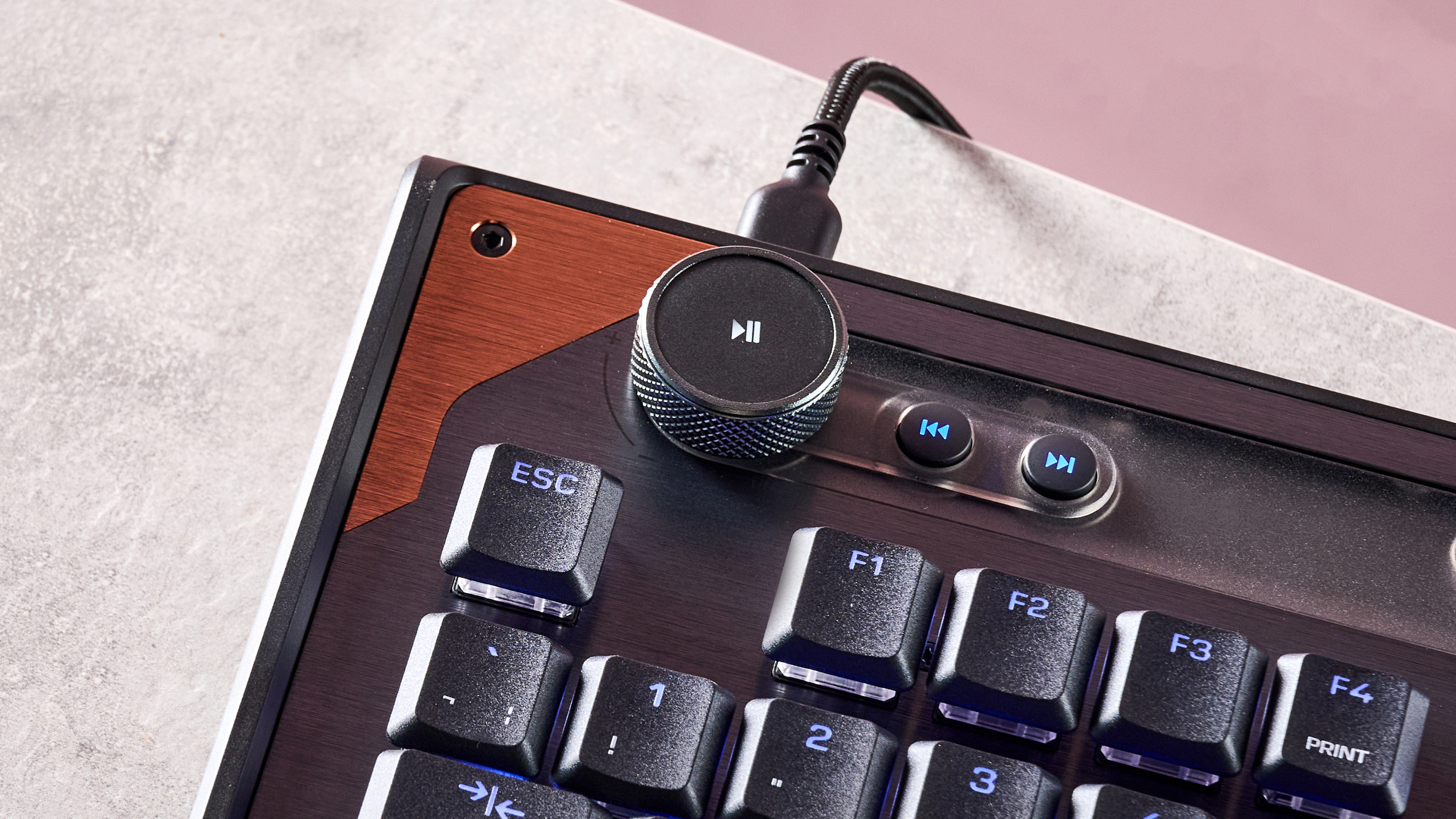
Finally, there are a few useful buttons, for things like skipping and rewinding media and muting your mic. I also love the tactile control wheel for adjusting volume, although there’s also a dedicated volume mixer available on the touchscreen.
Turtle Beach Command Series KB7 review: performance
- Fantastic typing experience
- Although lighter, more muted feel won’t suit all
- Great for gaming or general productivity
I typically use a mechanical Keychron mini keyboard, and so moving over to the KB7 felt like quite the jump.
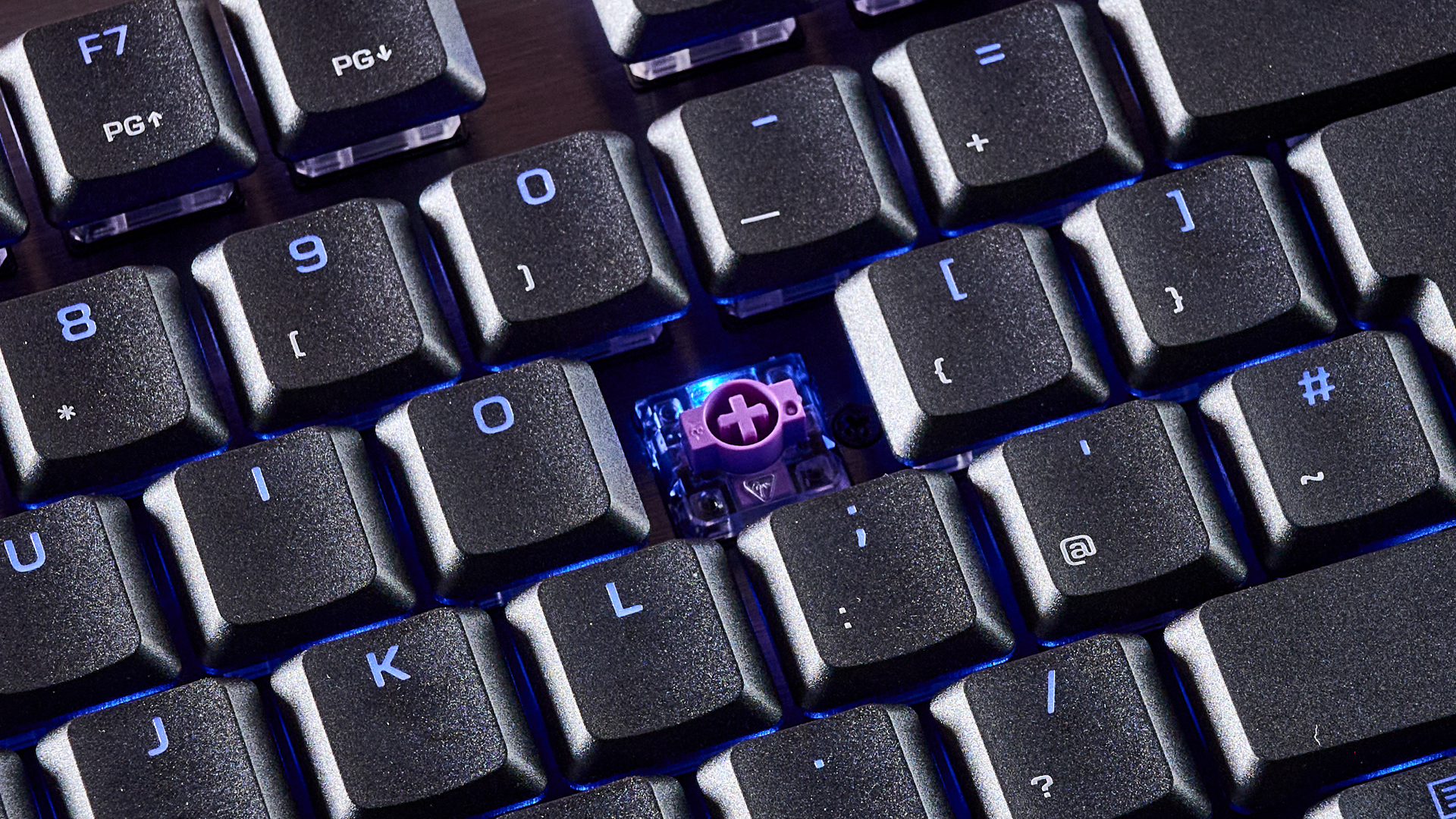
Why? Well, it comes down to how typing feels on this TKL keyboard. The low-profiled Hall effect keys feel phenomenally smooth and buttery to press down on, and they produce very little noise. The more muted sound and feel was very different from my usual mechanical keyboard — which has more of a clicky, snappy profile. I much preferred the KB7 to my usual keyboard, though, and although the more lowkey sound and feel won’t suit all, I think it’s ideal for focusing while gaming or working.
Speaking of, I found the KB7 to be a great performer, whether I was playing games or just carrying out typical tasks at work. It’s an extremely responsive model too, carrying an 8K polling rate and 0.125ms latency. Those kind of numbers are certainly good enough for competitive gamers, and I found the KB7 offered pin[point precision at all times.
The touchscreen is also well-sized, and using commands feels highly reactive and reliable. The touchscreen can also display PC performance info and show in-game stats (such as ammo and games won, for instance).
One thing that’s definitely worth flagging, though, is that this keyboard is wired only. The 4.3-inch touchscreen requires quite a bit too much power to run off a battery, so you do lose some of the flexibility that some rivals supply. Having said that, you’ll want to be using your keyboard wired for the best performance and lowest latency anyway, and as a gaming keyboard first and foremost, I don’t consider its wired-only setup to be a major issue.
Should I buy the Turtle Beach Command Series KB7?
|
Attributes |
Notes |
Rating |
|---|---|---|
|
Design & features |
Slim, modular design with handy touch-screen and lots of customizability. |
4.5/5 |
|
Performance |
Smooth, reactive typing, 8K polling rate, wired only, but understandably so. |
4/5 |
|
Value |
Undoubtedly expensive, but stacks up well against rivals. |
4/5 |
Turtle Beach Command Series KB7 review: also consider
SteelSeries Apex Pro TKL Wireless Gen 3
There’s a reason why the SteelSeries Apex Pro TKL Wireless Gen 3 is one of our favorite gaming keyboards here at TechRadar. It boasts a premium build, supplies excellent performance, and its analog switches function very well. It’s pretty pricey, but it’s still a top pick for us. Read our full SteelSeries Apex Pro TKL Wireless Gen 3 review.
Corsair Galleon 100 SD
If you’re looking for a different touchscreen-equipped keyboard, then the Corsair Galleon 100 SD could be a great pick. With strong build quality, built-in streaming controls, and slick hot-swappable MLX linear switches, the 100 SD is a highly capable gaming keyboard. It is very pricey, however. Read our full Corsair Galleon 100 SD review.
How I tested the Turtle Beach Command Series KB7
- Tested across multiple days
- Used for gaming and general productivity
- Tested by an experienced tech reviewer
I spent days testing the Turtle Beach Command Series KB7. I replaced my typical Keychron keyboard with this one, using it every day at work for general productivity. But I also used the keyboard when dipping into a few games here and there.
On top of this, I made sure to exhaust the keyboard’s various features and settings and compared it directly against rivals.
More generally, I’ve spent years testing gadgets here at TechRadar, where I serve as a Senior Reviews Writer. I’ve tested all sorts of gear, from premium wireless headphones like the Sony WH-1000XM6 to TVs like the Sky Glass Gen 2.
- Read TechRadar’s reviews guarantee
- First reviewed: July 2026

