


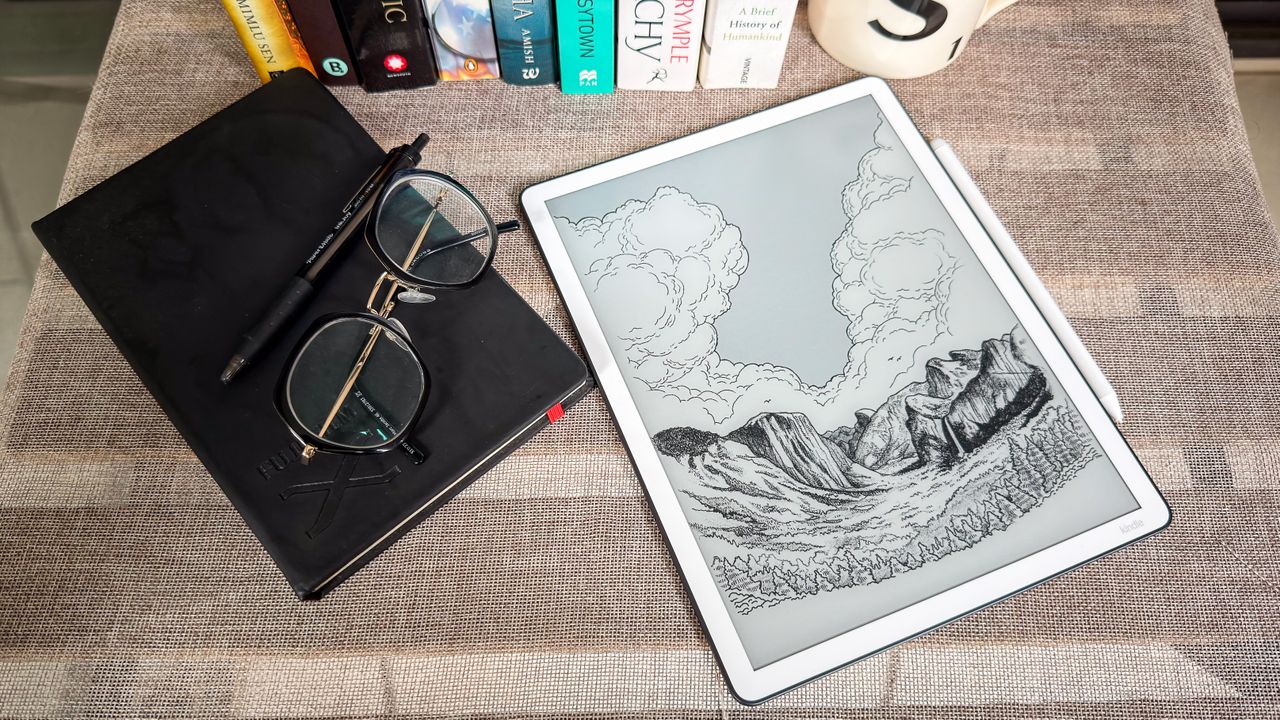
Amazon Kindle Scribe (2025): Two-minute review
I’ve used the 2024 release of the Kindle Scribe (2nd generation) for two years and I’ve loved every minute of it. I didn’t think there was a better E Ink display to write on (and read on for that matter) and I definitely didn’t think it could be improved. Yet that’s exactly what Amazon has done with the 2025 (3rd generation) Kindle Scribe with frontlight.
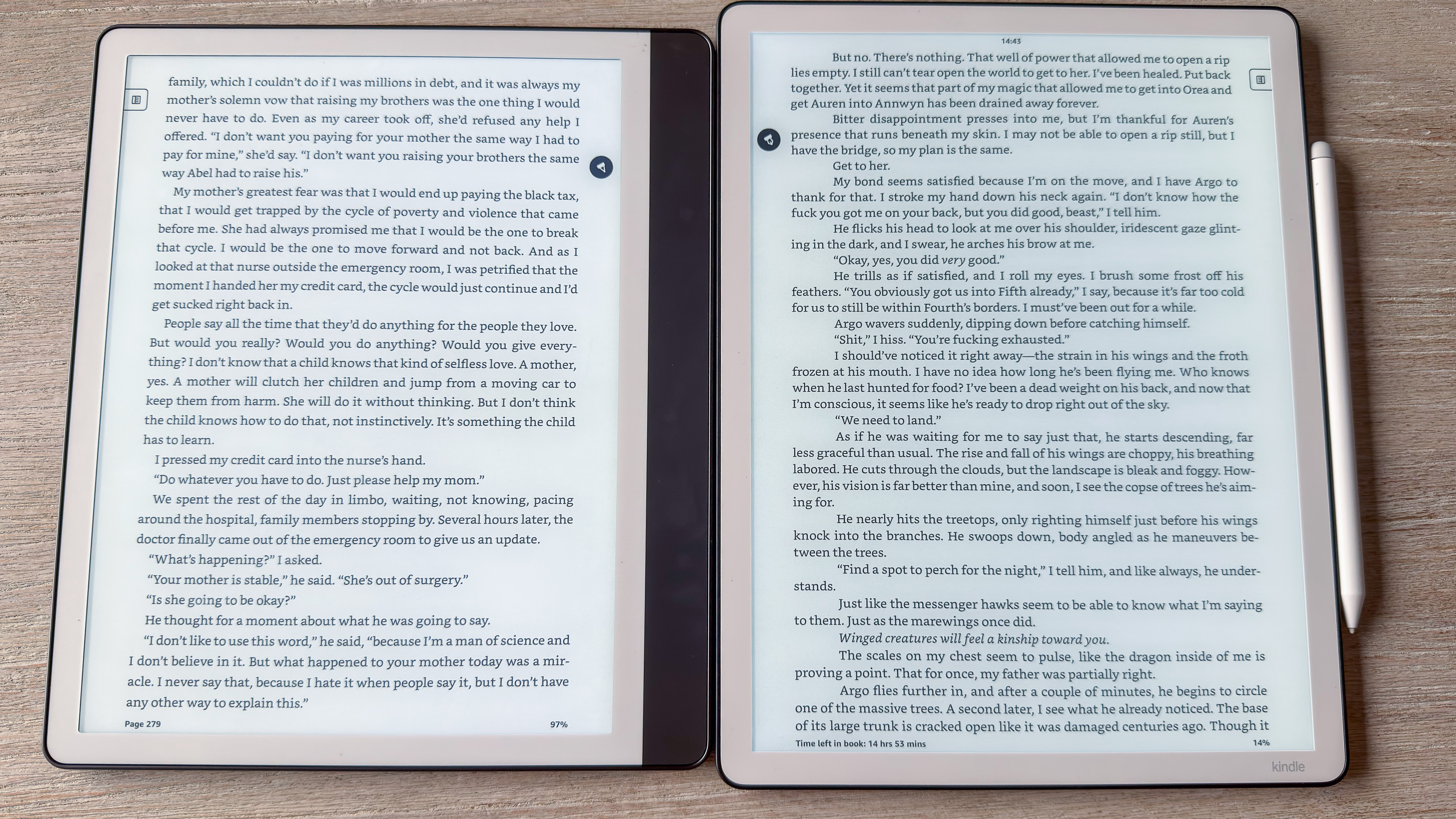
The epaper display is still one of the best to read and write on, but it looks even brighter and, indeed, it is bigger, with 11 inches of screen real estate to use. That’s fantastic for note-taking and drawing, but unnecessary for a device that also doubles up as an ereader.
Despite the additional height, the 3rd generation Kindle Scribe is both marginally thinner and lighter than its predecessor, but it is hard to hold in the hand for long periods of use — I constantly felt the need to place it on my lap or a table even when reading, but more so when jotting notes. Moreover, the lack of a broad bezel means it’s very easy to trigger a page turn as the thumb rests so close to the edge of the display.
The thinner chassis is solidly built, although there’s still no waterproofing (as is the case on most digital notebooks), so be careful if you decide to use it by the pool, the bath or the kitchen sink. And definitely keep it away from the sea’s salty water to avoid corrosion.
The new stylus is also redesigned and, while it might feel too smooth for some users, I adore it! It never slipped once, even with sweaty palms, and, personally, gave me one of the best writing experiences I’ve had on a digital notebook (with the exception of the ViWoods C1 ceramic stylus possibly). Additionally, the magnetic hold to the side of the device is the strongest I’ve seen to date on any such device.
The homescreen interface has been refreshed and is quite practical in my opinion, and renaming the previous Notebooks tab to Workspace kinda makes sense to me. There are a few new features here: a handful of fresh templates in Workspace, a Smart Shapes feature that some users might find useful and, importantly, Google Drive and Microsoft OneDrive connectivity for seamless cloud transfer of files. There’s even AI-enable search that can trawl through handwritten notes to give you a concise summary to answer your query.
What I’m struggling with is justifying its high price tag. While everything is now a lot more expensive, the extra screen real estate and handful of new features don’t go a long way in explaining the significant price increase over its predecessor but, then again, the base model now has double the storage at 32GB and it sure is a very fast performer.
As someone who’s extensively used reMarkables and Boox alternatives, I think the 3rd generation Kindle Scribe definitely gives its competitors a run for their money. I’d still only consider picking it up when discounted and only if you don’t already have a previous Scribe and are embedded in the Amazon ecosystem.
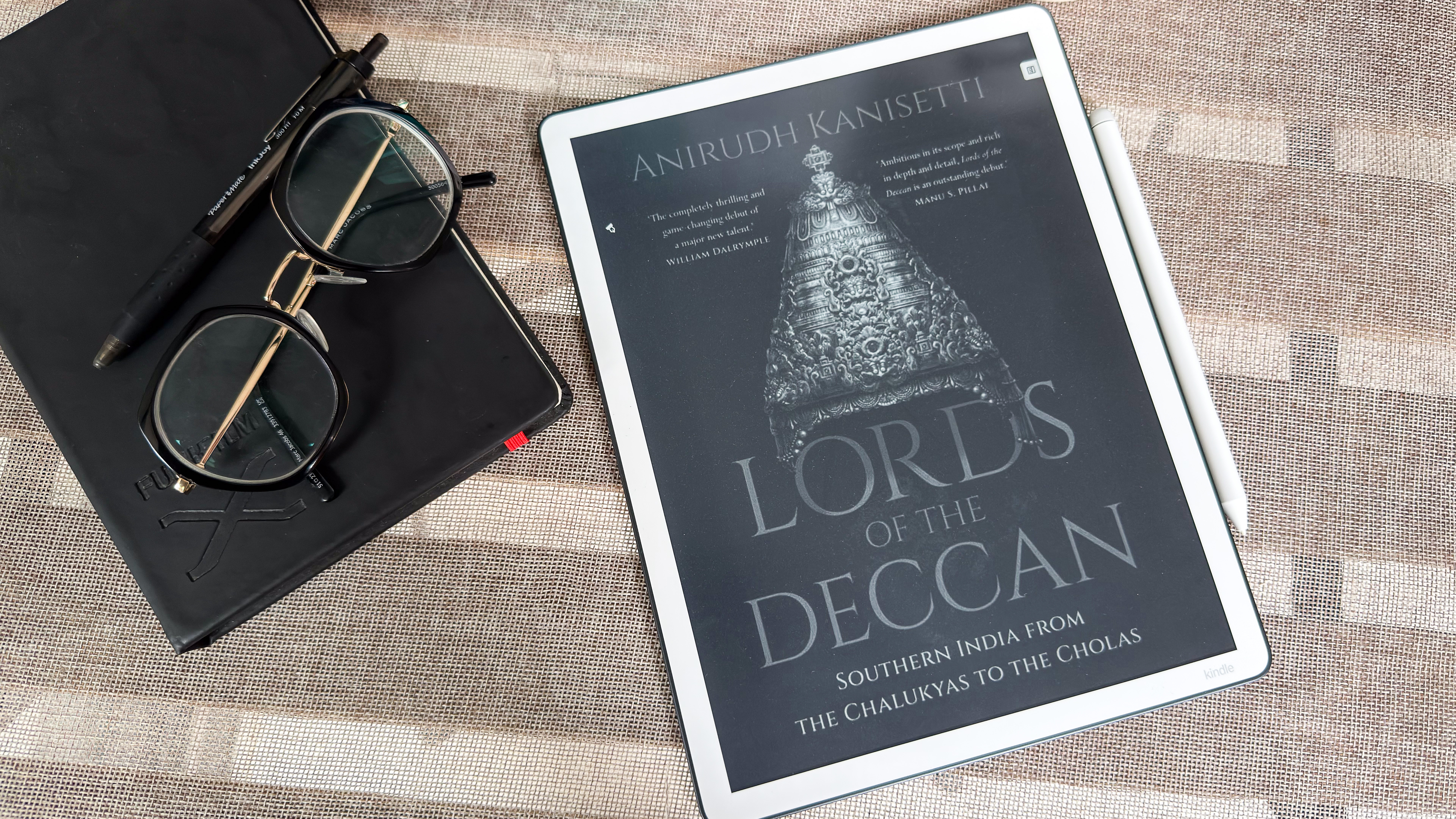
Amazon Kindle Scribe (2025) review: price and availability
- First announced October 2025 in the US; available to buy since December 2025
- Released in the UK and other select markets in early 2026, available in Australia since mid 2026
- List price: from $499.99 / £449.99 / AU$849
The 3rd-generation Kindle Scribe is expensive — at a starting price of $499.99 / £449.99 / AU$849, it’s $100 / £70 / AU$200 more than its predecessor’s entry cost, but it does go some way in justifying the increase.
Firstly, as I’ve already mentioned, the entry model now has 32GB of storage compared to 16GB, plus the display is 11 inches (previously 10.2 inches). There are a few new software features that make it a better digital notepad compared to the 2nd-gen Kindle Scribe from 2024, but it’s still hard to justify paying full price when color E Ink devices don’t cost much more.
That said, color E Ink isn’t where it should be in 2026 and I wouldn’t recommend the $629 / £569 / AU$999 Kindle Scribe Colorsoft over this monochrome sibling.
On the other hand, the reMarkable Paper Pure, which also offers 32GB of storage, but a 10.3-inch screen and a minimal interface that’s not conducive to reading is a lot cheaper with a starting price of $399 / £359 / AU$629. Even the 64GB Boox Go 10.3 (Gen II) Lumi is cheaper at $449.99 / £429.99 / AU$729.
I would still recommend the 3rd-gen Kindle Scribe if you want both a reading and note-taking device in one, but perhaps consider picking it up when it’s discounted, which it invariably will be during a major sale, more so once Amazon discontinues the 2024 edition (which it invariably will).
However, if you already own the 2024 version, I wouldn’t recommend the 3rd-gen as an upgrade as you won’t miss much. And as long as it’s available to buy, the 2nd-gen is definitely better value even at full price.
• Value score: 3.5 / 5
Amazon Kindle Scribe (2025) review: specs
|
Display type: |
E Ink Carta 1300 |
|
Screen size: |
11 inches |
|
Resolution: |
300ppi |
|
Processor: |
Undisclosed quad-core chipset |
|
Frontlight: |
Yes (warm and cold) with ambient light sensor |
|
Storage: |
32GB / 64GB (non-expandable) |
|
Battery: |
Undisclosed capacity rated for up to 12 weeks |
|
Speaker: |
No |
|
Water protection: |
None |
|
Software: |
Linux-based |
|
Connectivity: |
Wi-Fi (2.4GHz + 5GHz); Bluetooth 5.1 USB-C |
|
File support: |
13 document, 4 image, 1 audio |
|
Dimensions: |
189 x 245 x 5.4 mm (7.4 x 9.6 x 0.21 inches) |
|
Weight: |
400g (without case and stylus) |
Amazon Kindle Scribe (2025) review: design and display
- 11 inches of beautiful, bright E Ink Carta 1300 screen real estate
- Sturdy, premium build, but slim bezels can be an issue
- Thinner and lighter than previous generation, with newly designed Premium Pen
It might not seem all that different from the previous two Kindle Scribes, but the 3rd-gen model with frontlight is a different beast, at least physically. As already mentioned, it’s now a little taller thanks to an 11-inch display, but it’s ever-so-slightly thinner (5.4mm vs 5.7mm) and lighter than the second-generation Scribe (400g vs 433g).
How Amazon has managed that is beyond my understanding, but it’s a welcome change as it helps negates a little bit of the hand and wrist fatigue the extra height adds during handheld use over longer periods of time.
That, sadly, is exacerbated by the fact that the broader bezel from the previous generations is no longer there beside the screen where your thumb could rest. Now, all four sides are surrounded by even yet narrow bezels that can trigger a page turn if your finger or palm even remotely touches the edge of the screen. It’s something you can get used to but, even then, I think all the new 2025 Kindle Scribes are best used while on a table or desk, or your lap.
Other than that, the Kindle Scribe still looks like a premium device with a very sturdy build, despite being thin and light, with minimal embellishments for a clean look. Unlike the Kindle Scribe Colorsoft, though, the 3rd-gen model only comes in the usual Graphite (previously called Tungsten) variant, and I do wish another chassis color was available. You’re also not going to get any waterproofing here like with the other Kindles.
What I’m thrilled about, though, is the new stylus. Amazon has redesigned the Premium Pen, which is now a white, smooth-bodied styls with a slightly sharper nib that adds better control to marking on the screen. The smoothness of the pen’s body might make it harder to hold for some users, but I didn’t have any issues with slipping, even if my palms ended up being sweaty for whatever reason.
Better yet is the magnet that attaches the pen to the side of the tablet, which is arguably the strongest I’ve come across on any such device. Even without a case, the Pen has never come off inside my bag when taking it in or out of a pocket. And I do mean never — it has shifted in angle, sure, but not completely fallen off. That’s just my experience, though.
You still get an eraser on the top and the customizable shortcut button, as well as five spare tips in the box. What you don’t get is the aforementioned sleep case, which you will need to purchase separately, but there are options galore directly from Amazon and third parties.
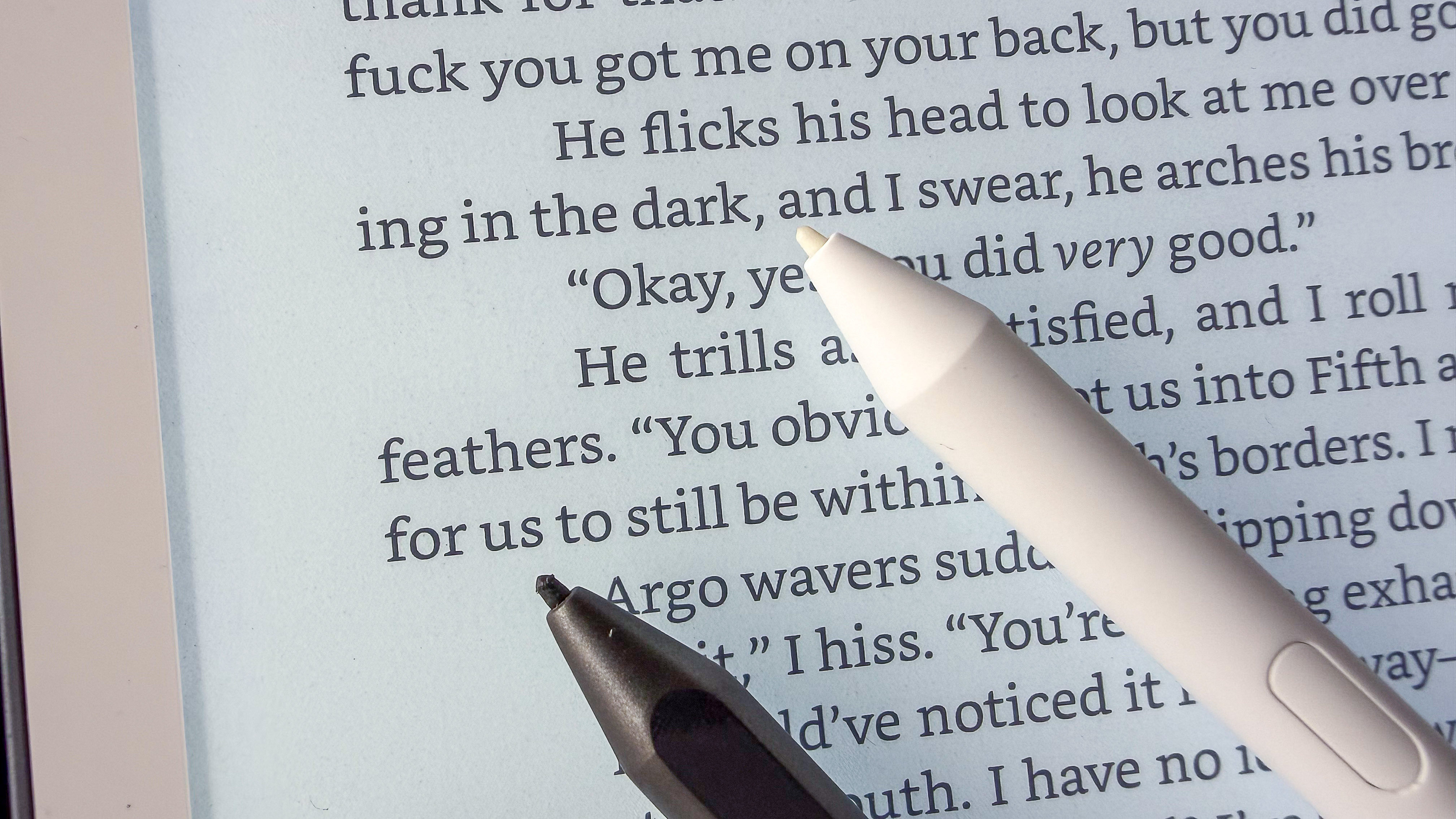
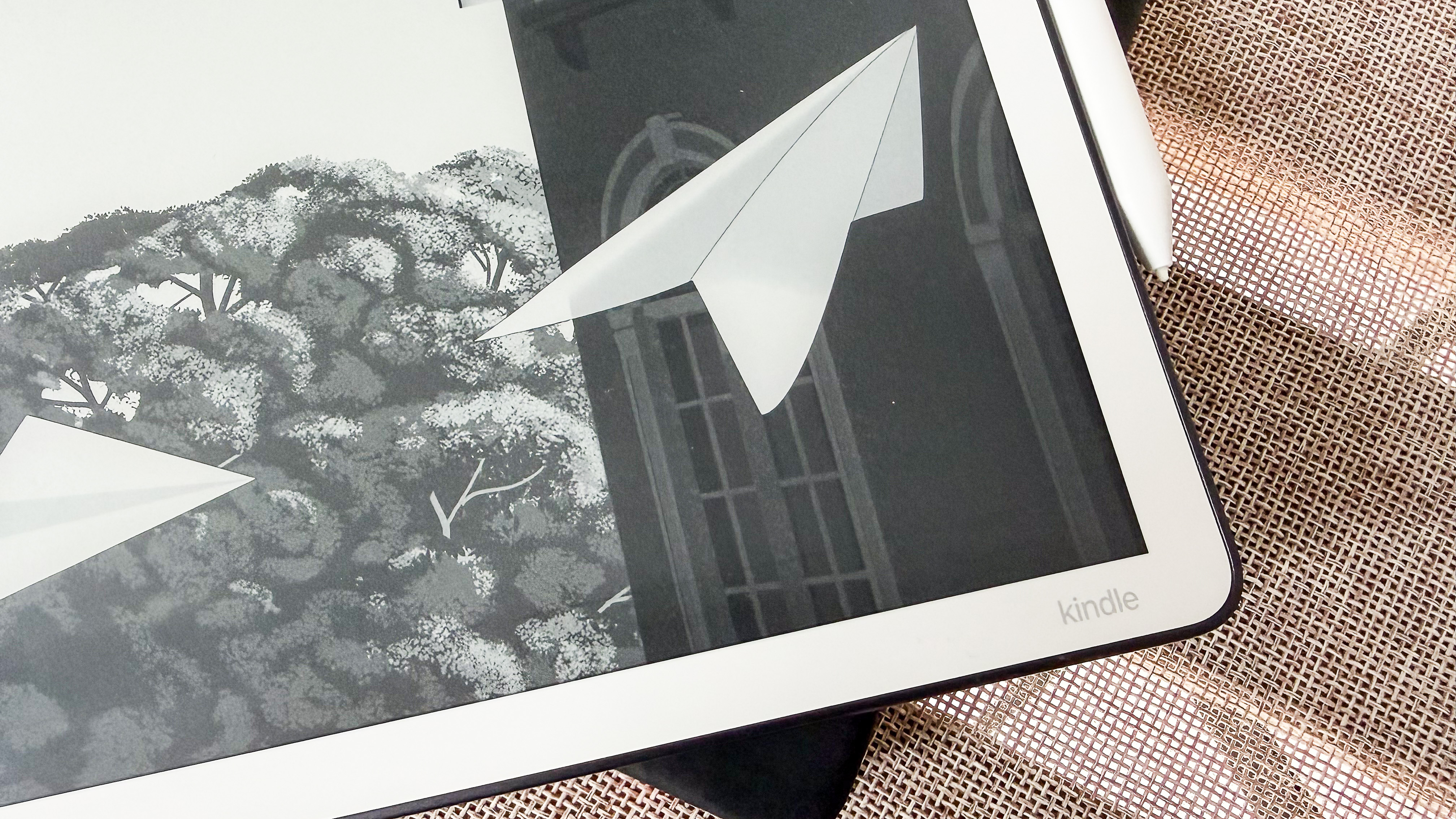
As much as I would love to wax lyrical about the stylus, it’s the 11-inch E Ink Carta 1300 display that’s the star of the show here. It was already fantastic on the 10.2-inch 2024 Scribe, but now it just seems a touch better.
I’d like to say it’s because of the 100nit peak brightness that makes it look nicer, but even with the LEDs dimmed, it’s the cleanest, almost-white display I’ve used on an epaper tablet that still manages to seem like paper. In fact, I much prefer it over the duller-looking E Ink Kaleido 3 display on the Kindle Scribe Colorsoft.
The flush screen is protected by a top layer of glass that also has an anti-glare coating. You also get the standard 300ppi resolution which, despite being spread over a larger area, still renders text and writing in sharp clarity, and it’s arguably one of the most responsive screens on an epaper device to date.
• Design & display score: 4.5 / 5
Amazon Kindle Scribe (2025) review: Software
- Refreshed homescreen setup which is cluttered with Kindle Store recommendations
- Cloud service access is very welcome
- More writing tools but not necessarily of note (pun not intended), but new a AI feature could prove useful
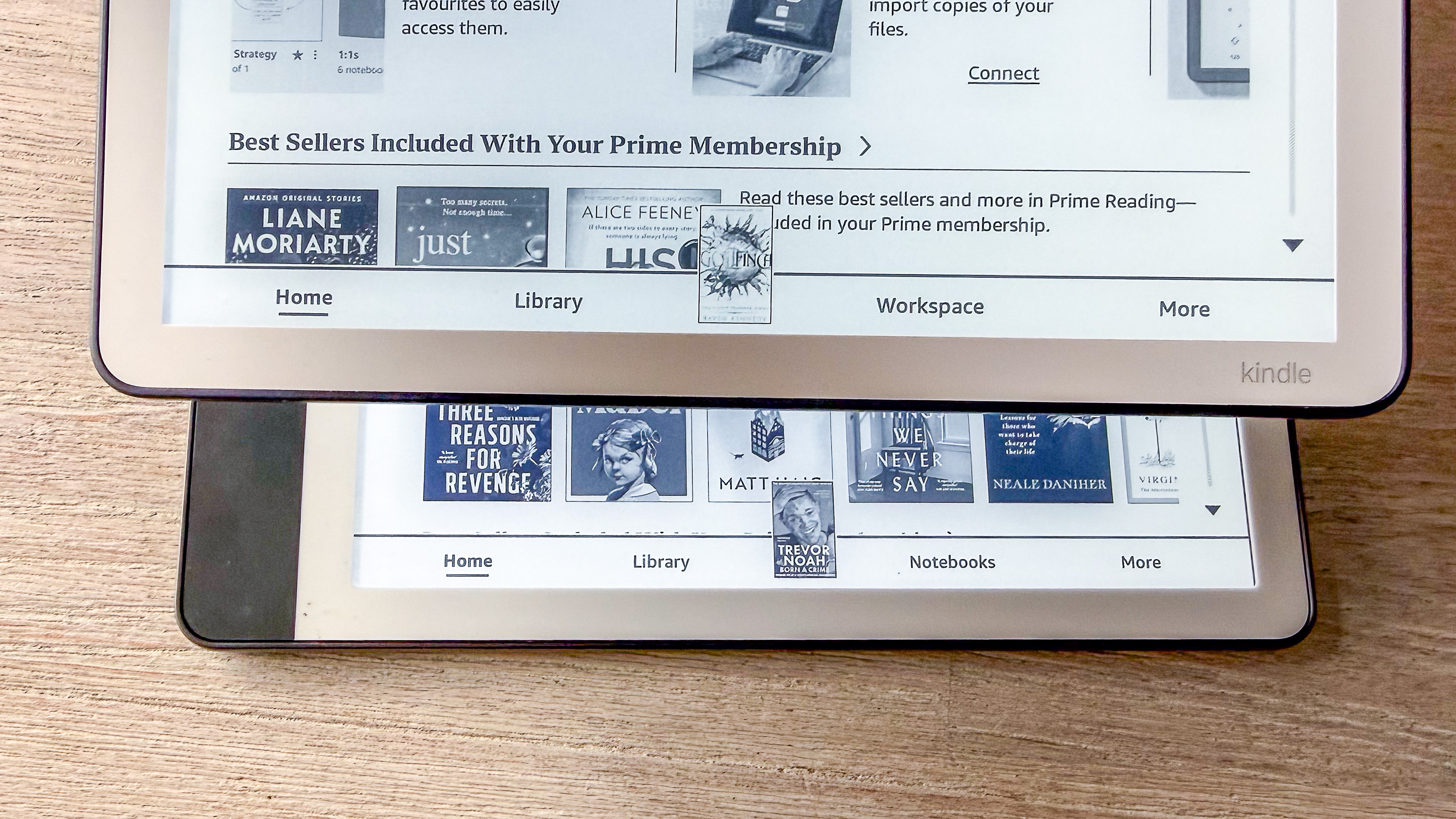
It’s not a complete makeover, but the homescreen setup on the top of the 2025 Kindle Scribes is different to what was previously on the older models. There’s easy access to what Amazon is calling a Quick Note — just tap on it and it opens up an empty notebook for you to start writing on — beside which is a single column of your recently opened items (now called Jump Back In) that were previously arranged horizontally.
By default, the Quick Note takes up more than half the left side of the screen, but it can be shrunk by tapping double arrows, which then separates your recently opened items list into two columns, thus adding more, whether that be notes or ebooks.
I like this setup better as it’s a quick glance at a fair few recently opened items, rather than you needing to scroll horizontally, plus you can see what you wrote in the Quick Note without needing to open it.
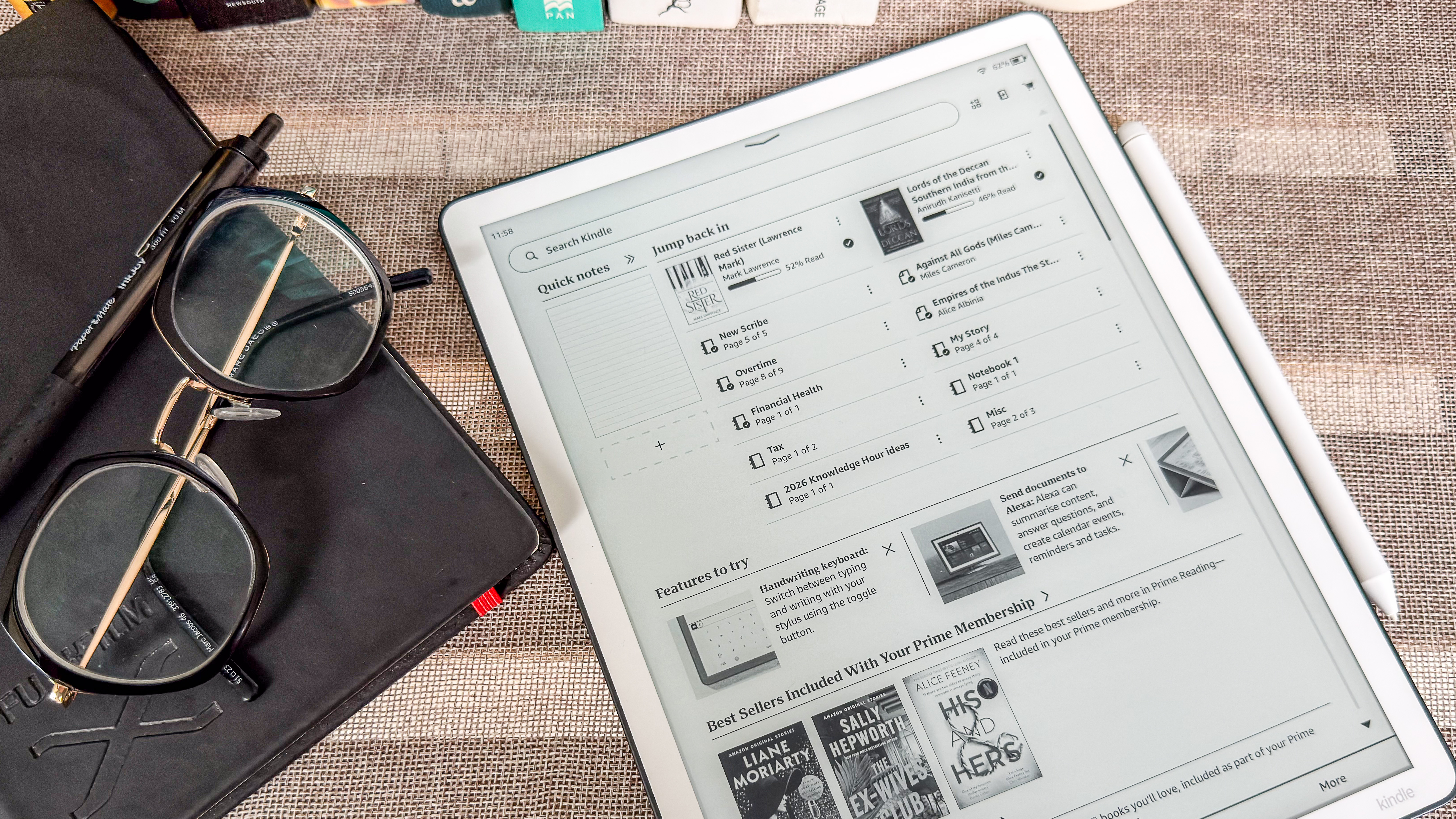
Below this section is a whole lot of what I think is clutter but some users who are embedded in the Amazon ecosystem would appreciate. These include the Recently Added items list, followed by new-feature intros and several Kindle Store recommendations based on your reading habits, which is what I really detest — it just feels like overkill and I much prefer Kobo’s homepage which looks neater to me.
While the bottom navigation menu still has four items, the previous Notebooks tab is now called Workspace and it has a few extra templates that I personally couldn’t find much use for. I would have loved a dedicated journal template but… oh well. Otherwise, everything else is carried over from before, with limited pen and brush options that artists perhaps won’t be very happy with.
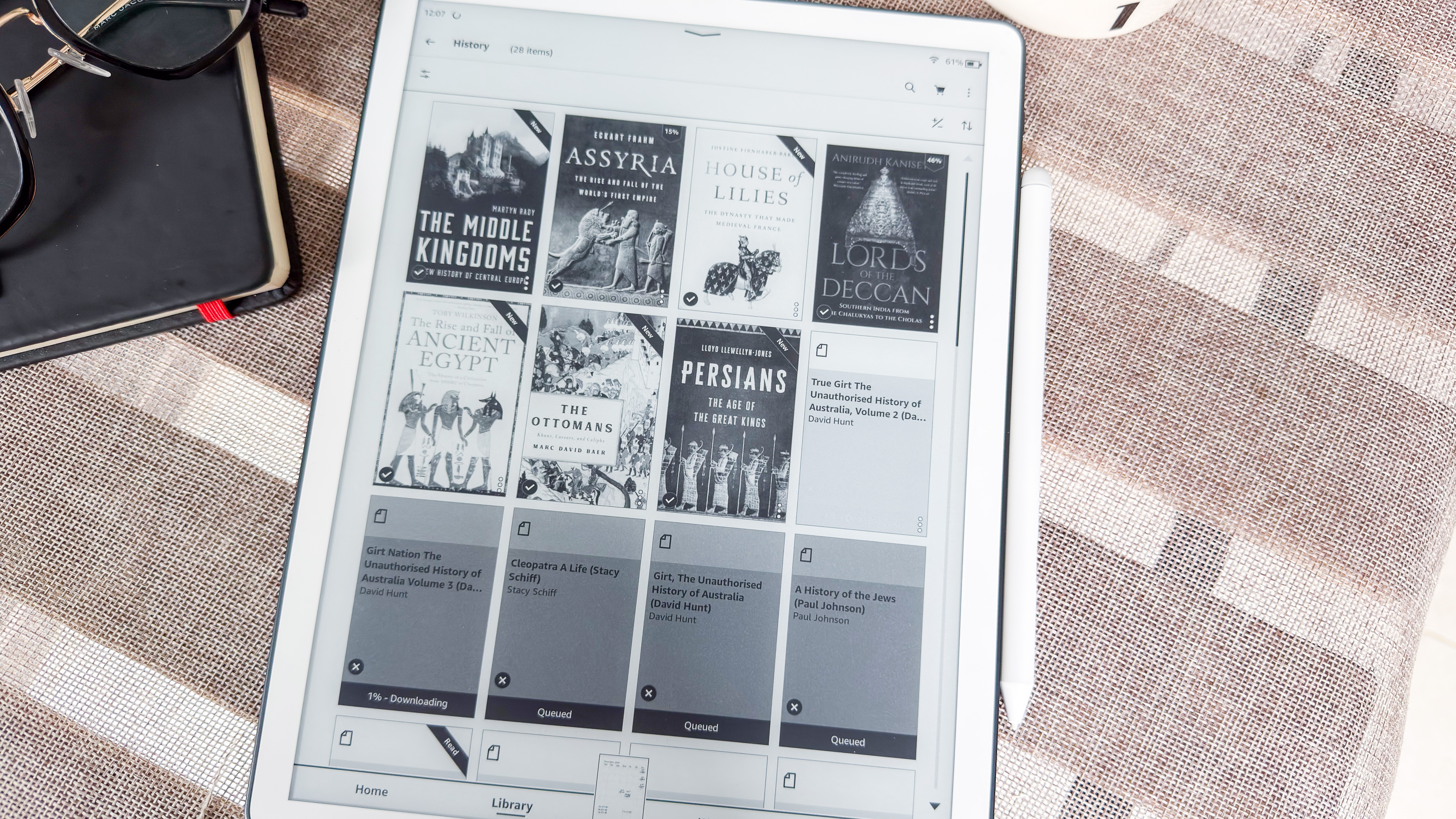
The biggest improvement here (across all three 2025 Scribes in fact) is the addition of Google Drive and Microsoft OneDrive support. As someone who uses the former, it’s made file transfer a lot easier than using the email sharing option that has previously been the clunkier norm.
There is, however, a caveat when it comes to PDFs: you can’t actually mark them up after exporting them if you need to do so. The only way to reflect changes is to export the file and open in Google Docs to edit. Despite that, I still think access to cloud services is a huge improvement and I hope Amazon rolls it out to the older Scribes as well.
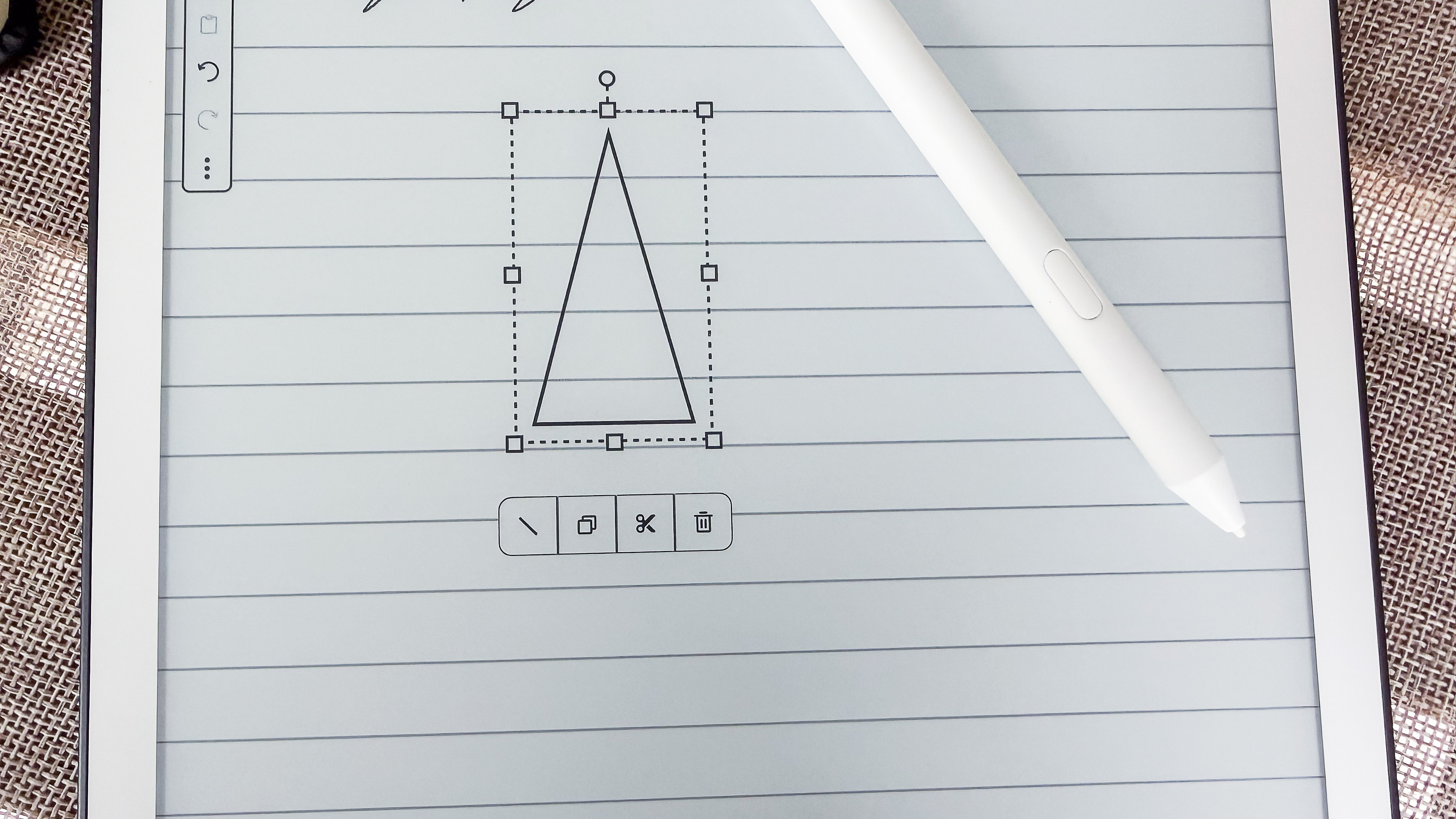
Also new is a feature called Smart Shapes that you can access from the stylus menu in a note — if you need to create, say, flowcharts, you can roughly draw a circle or triangle and it will automatically get converted into a proper (or neat) shape. It’s not something I personally found useful, but I think it could be for students, teachers and scientists.
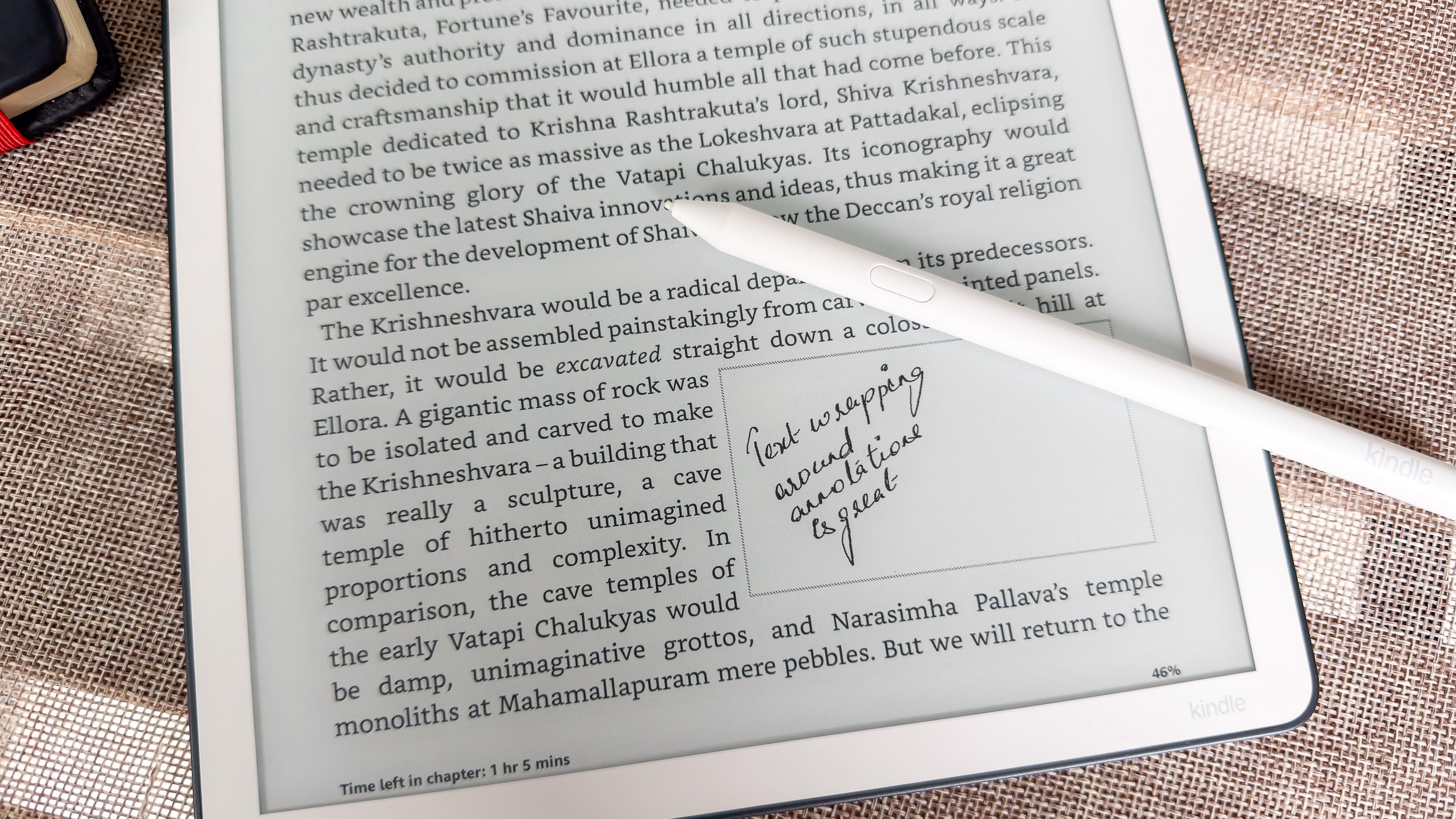
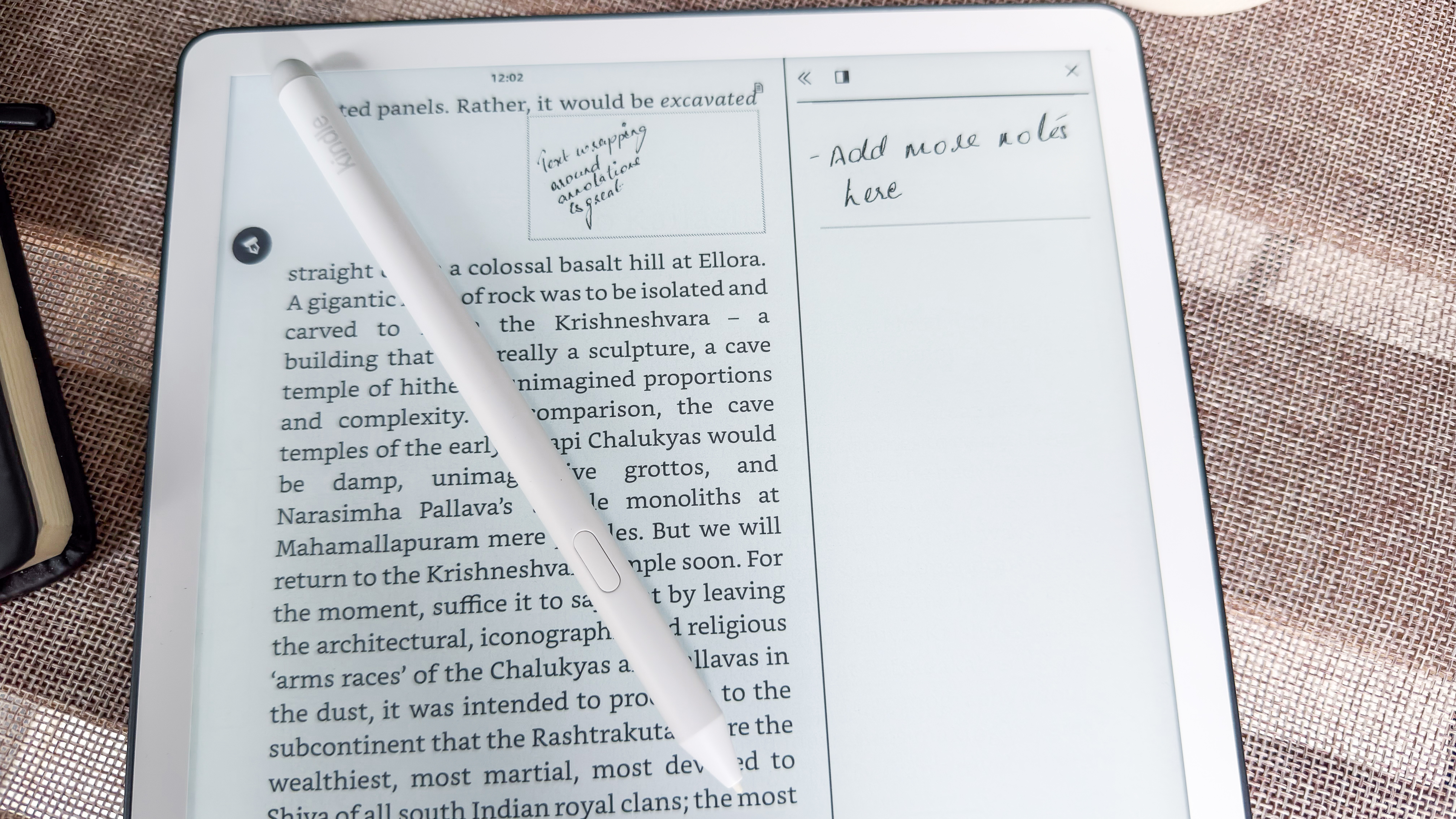
The AI-powered handwriting conversion and summary creation tools from the previous generation is available here, as are the ebook annotations (Active Canvas) and side-margin notes from before, but AI search in your notes is new. It allows you to enter a keyword or phrase and all your notes, including handwritten ones (uh-huh, that’s different, innit?) will be scanned to give you an AI-generated summary. It’s another feature that I don’t see everyone needing, but if you have a copious amount of notes on the same subject (like I occasionally do), it can be handy.
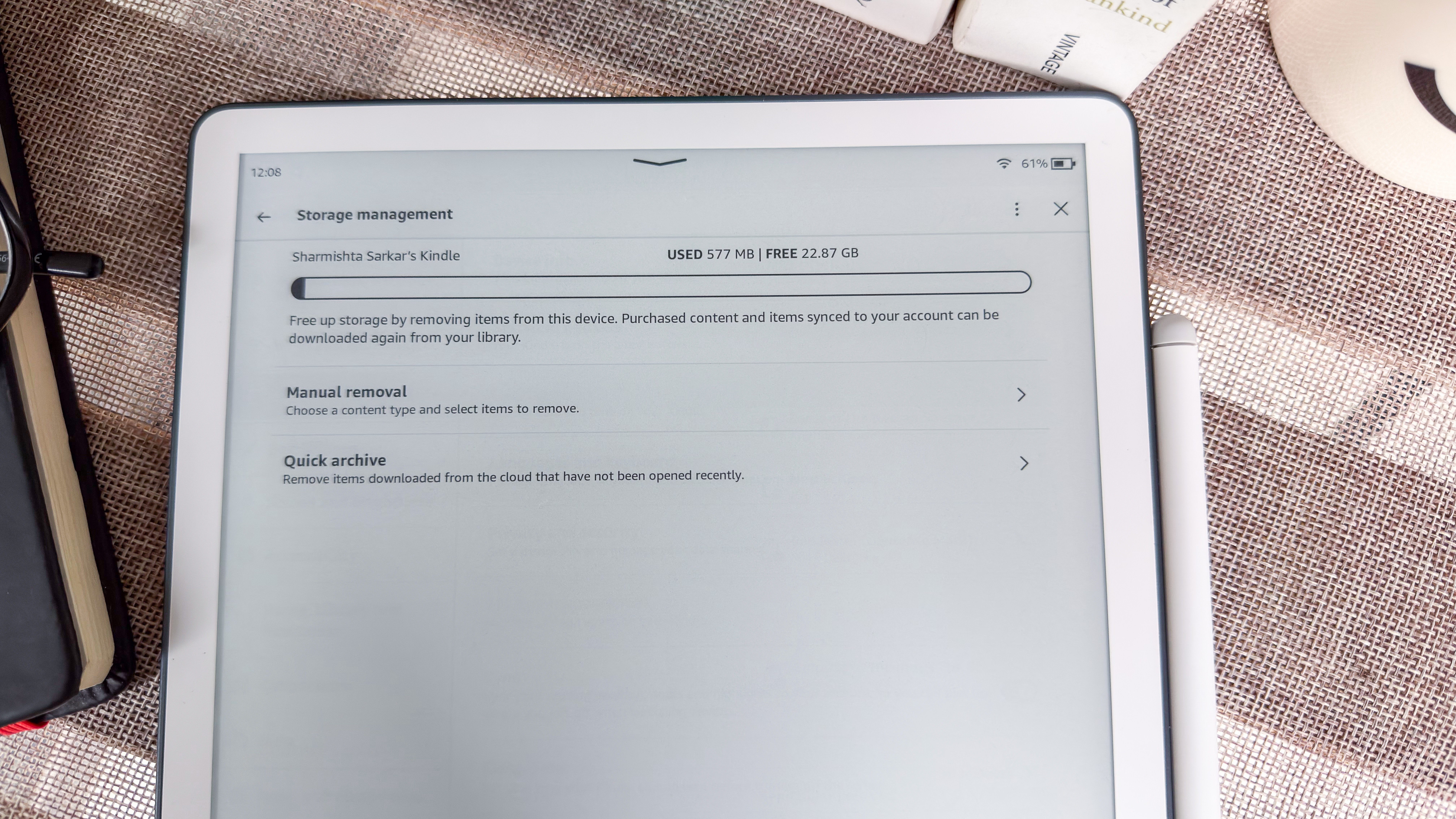
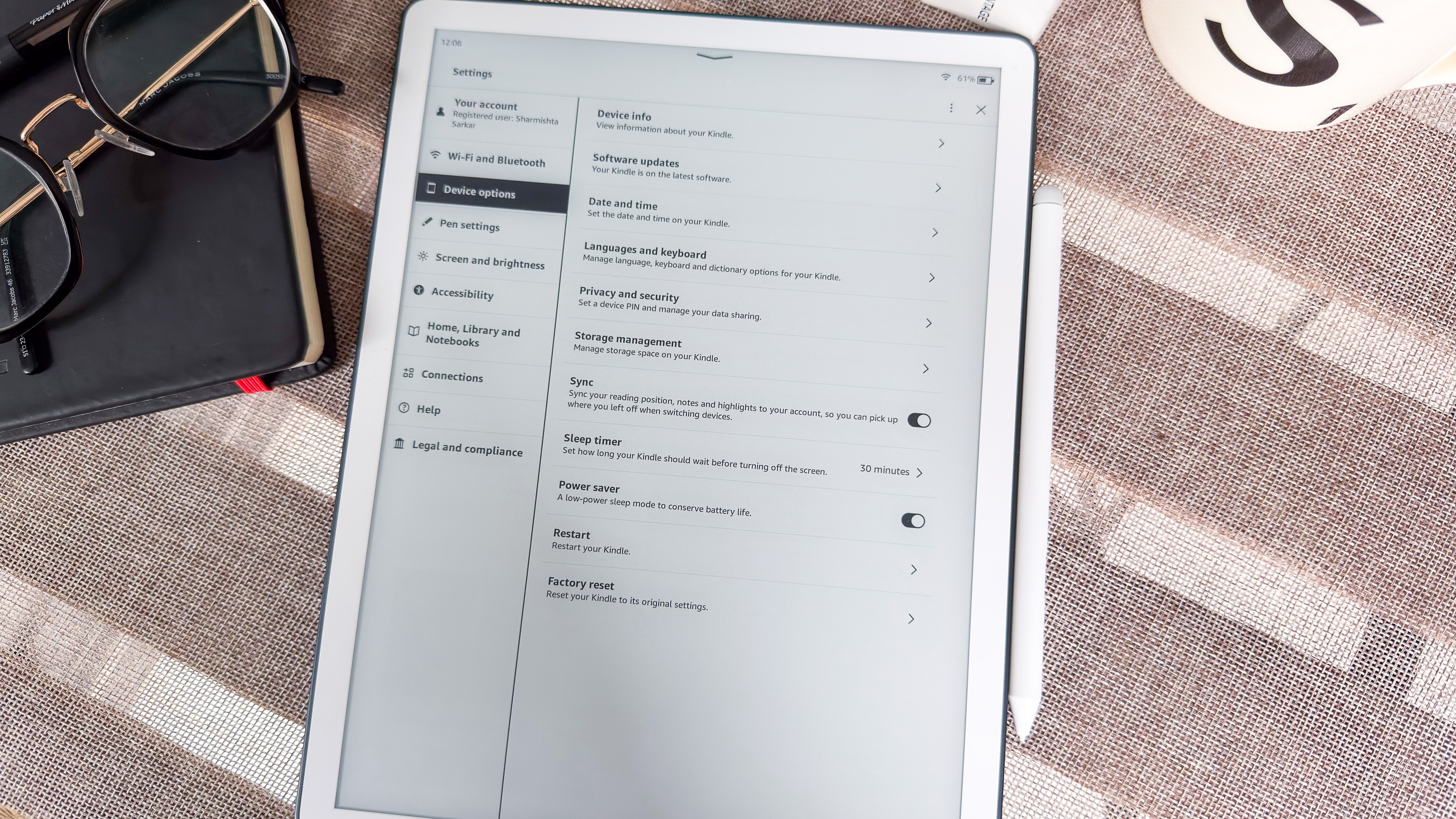
I should note that all this software improvement takes up a heck of a lot of storage. For example, when I looked into the Device Options on my 3rd-gen Scribe and Colorsoft units, I only had about 22GB and 21GB of usable storage respectively out of 32GB. This is still a good amount, but 11GB is still a heck of a lot of space to give up for power users who might want to store a lot of ebooks, audiobooks and documents on the device. To put it into context in another way: there was a time when 8GB storage was the norm in an ereader, meaning the Scribe software wouldn’t even fit into an older ereader!
Software score: 4 / 5
Amazon Kindle Scribe (2025) review: User experience
- Despite its size, it’s one of the best screens to read on
- New stylus writes wonderfully, although writing and drawing features are still comparatively limited
- Handful of new templates added for note taking
I have a few Kindle devices at home, including three of the 2024 releases, and yet I’m not really a Kindle fan because of how much the user interface forces you into the Amazon ecosystem.
However, the 3rd-generation Kindle Scribe with frontlight has come very close to changing my mind — I am willing to put up with the homescreen clutter because of how good reading and writing is on that glorious E Ink display. It’s hands down the best epaper tablet I’ve tested in 2026 (it’s a delayed review as it wasn’t released in Australia, where I’m based, until June this year).
Reading
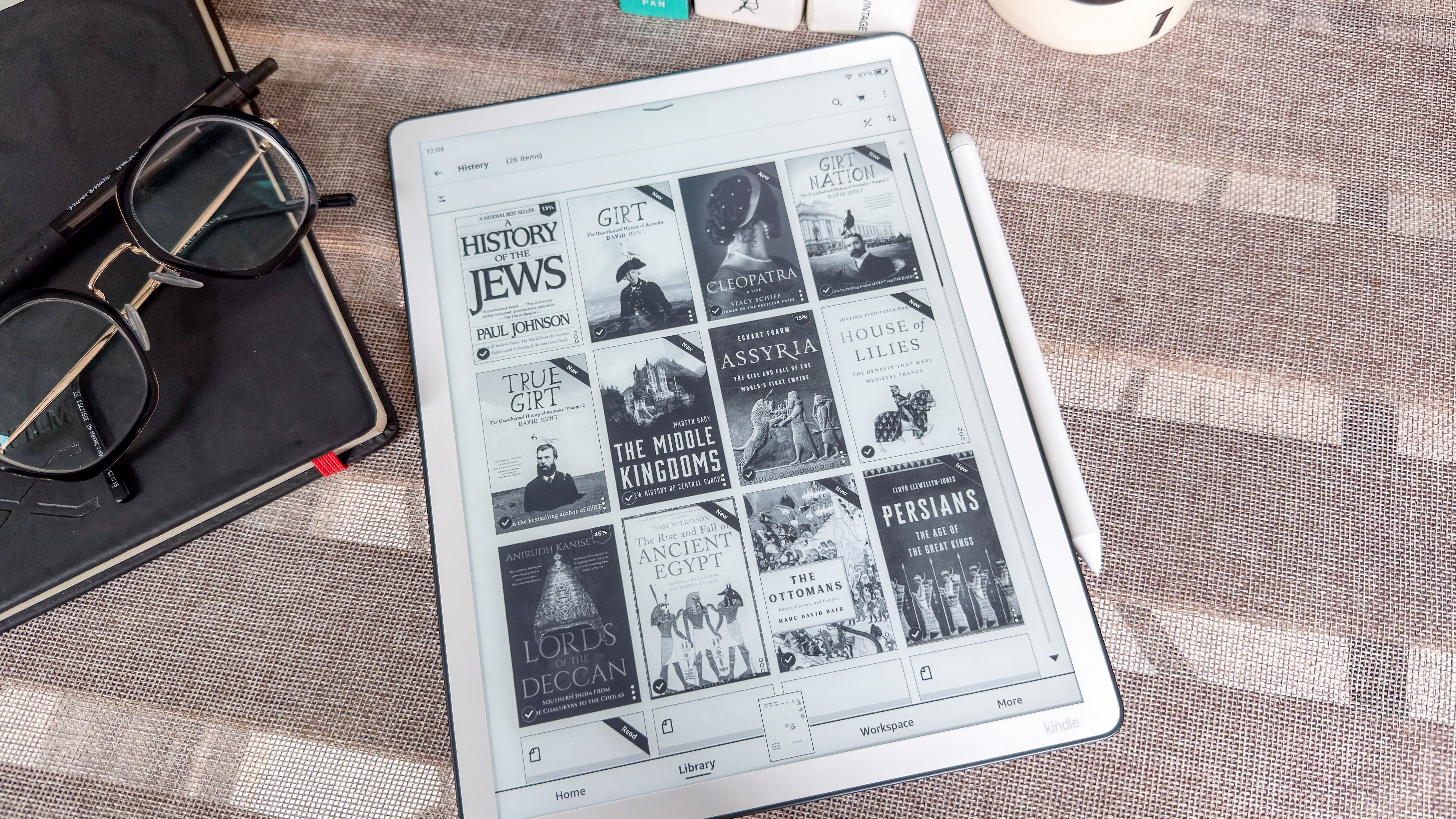
As I’ve already said, the 300ppi resolution looks a little better on this Scribe than it did on the previous generation because Amazon has optimized the display very well to render text in sharp clarity.
I’ve seen some users complain that the Scribes don’t look as good as the Paperwhite, but it’s important to keep in mind that the 7-inch Kindle has less surface area with the same amount of pixels as the 11-inch version, so the pixel size on the larger device will be slightly bigger. And that makes a difference, but not so much that it stands out. You have to look really carefully to see that kind of difference.
I am a big fan of the ambient light sensor on the display, which means the screen automatically dims or brightens up depending on whether I’m indoors or outdoors, or how bright or dark it might be around me. In other words, it automatically gives me a pleasing brightness for nighttime reading.
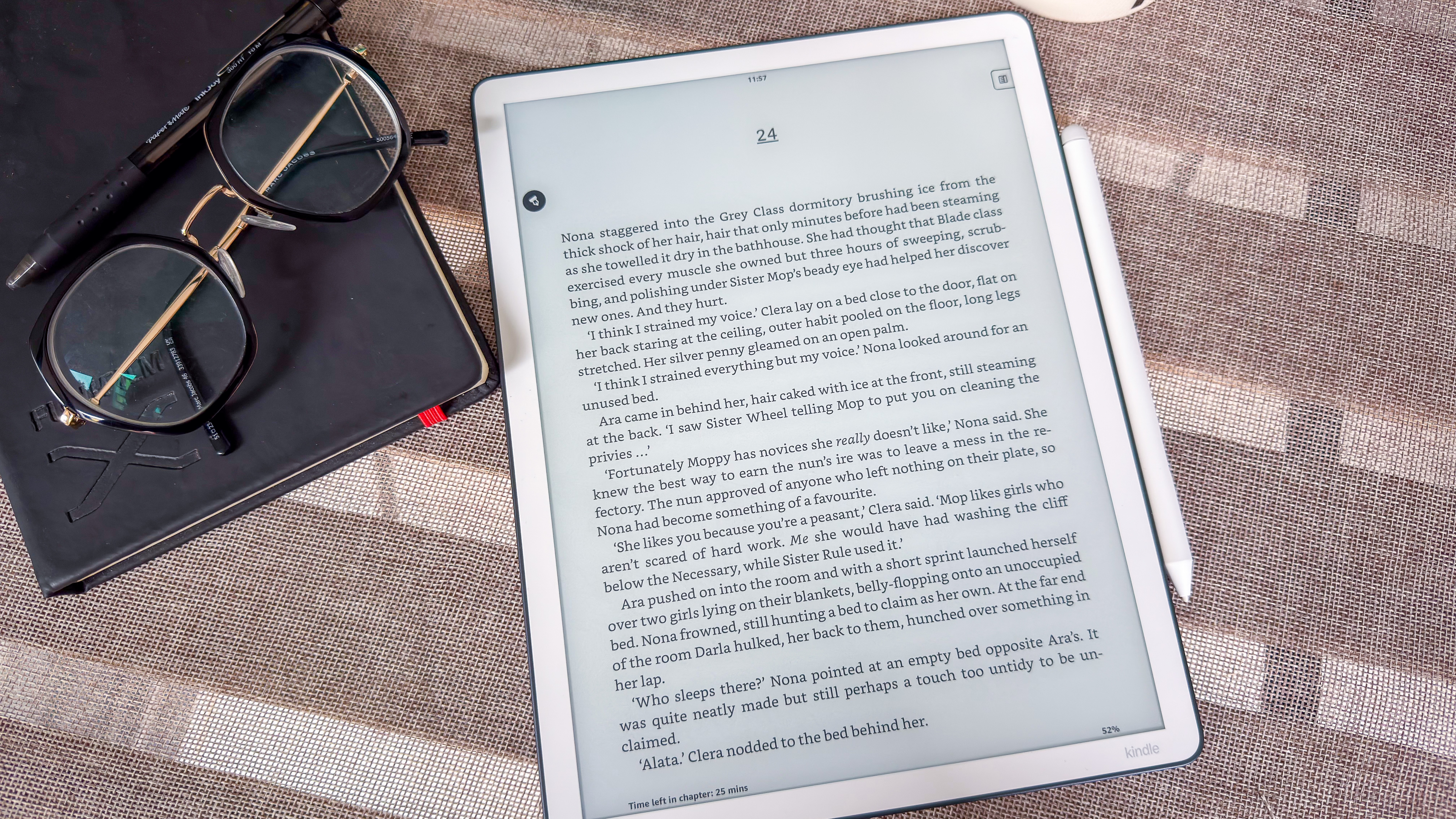
The larger screen makes it an ideal choice for comic book fans but, then again, color makes them more enjoyable while you’ll be reading them in grayscale. The bigger screen, however, is fantastic for those who prefer larger fonts, so you aren’t turning pages after a few sentences and, thus, conserving a little battery.
The Kindle font support is still not as good as flexible as on a Kobo or a Boox device. For example, sideloaded EPUBs added to the device via the Send To Kindle platform render well, but I found a few MOBI files that didn’t open as expected but work perfectly fine on my Kobo Libra Colour.
I am, however, very grateful for Amazon’s cloud storage where anything in your library previously added to older devices are accessible on any new Kindle.
Writing & drawing
I didn’t think Amazon could better the writing experience from the previous-generation Scribe, but lo and behold, a redesigned stylus has achieved just that. As I’ve previously stated, the pen is the real hero when it comes to epaper writing tablets and the white Premium Pen with a slightly sharper nib glides very well over the glass and yet has just the right friction.
Then again, a pen choice is very personal and some users might prefer more friction, which is understandable. Personally, my experience was perfect, allowing me very good control over the marks I made in a note.
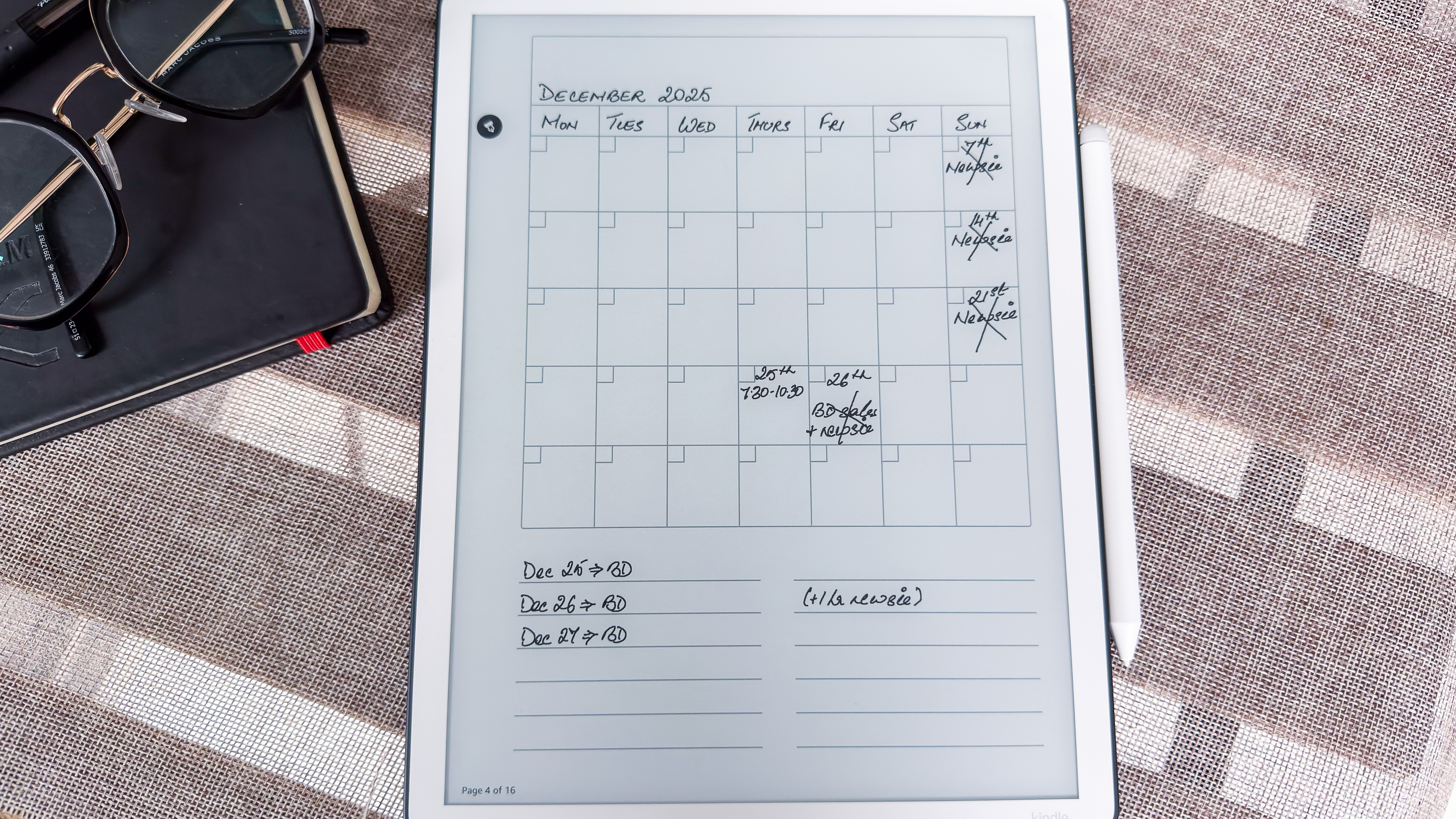
What I’m not necessarily too enthused by are the limited writing tools. I think Kobo’s Advanced Notebooks are still a better option compared to what Amazon offers on the Scribe, although Android devices give you even more features and tools if you think you’d need them.
While there are some new templates for notes, I think their use would be very limited to select users, and I would have much preferred if Amazon had, instead, added more pen options. I may not be able to draw to save my life, but I can see how this limitation might affect artists. For everyday doodling, my colleague Lance Ulanoff finds the Kindle Scribe better than his iPad for drawing, especially when outdoors.
Writing and drawing limitations aside, the physical experience of putting words down on the 2025 Scribe is par excellence and, for that, I can’t deduct too many marks.
User experience score: 4.5 / 5
Amazon Kindle Scribe (2025) review: Performance
- The fastest Kindle yet, with page turns barely visible (unless animated)
- Absolutely no ghosting, even with image-heavy ebooks
- Battery life takes a small hit compared to previous generation
Amazon doesn’t reveal what hardware components it uses under the hood of its devices — all we know is that there’s a quad-core chip with an indeterminate amount of RAM — to keep things ticking along, but whatever there is sure makes the 3rd-generation Scribe the fastest Kindle yet.
In fact, I think I might go so far as to say it’s arguably the fastest ereader and epaper writing tablet I’ve tested to date. I make that claim based on my recent Boox Go 10.3 (Gen II) Lumi review that I was testing at the same time the Amazon device and, despite being a 2026 release, was so significantly slower than the 2025 Scribe, specifically in terms of page turns.
On the Scribe, you can barely discern a page turn, unless you have the animation turned on of course. Several times during my two-week test period with the Scribe I didn’t even think a tap registered until I saw the words on the new page. The time I did notice a blip was when the device was doing a full refresh.
Like its predecessor, there’s absolutely no ghosting here, whether you’ve got image-heavy or word-heavy books. Not even a faded mark appears overlaid on notes, and I do wish Boox would learn how to achieve that.
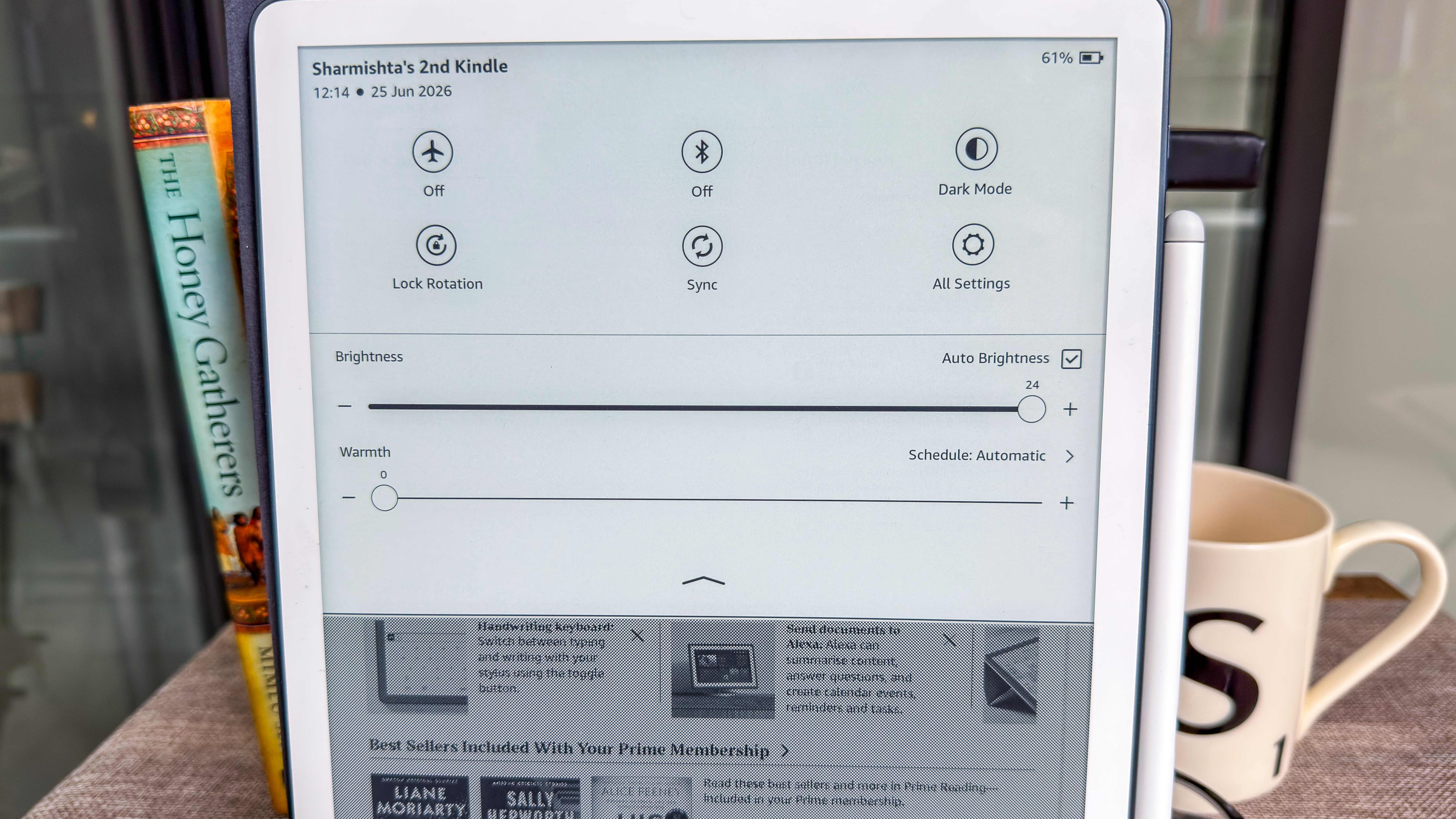
Battery capacity is another spec that Amazon doesn’t reveal, but it does say that it can last up to 12 weeks on a single charge when used for about 30 minutes a day. It’s definitely doable, but I think battery life on the previous 2024 edition was slightly better. Potentially more LEDs (another spec that Amazon doesn’t reveal) to power a larger display could be the main culprit here, but it doesn’t take too much of a hit in comparison.
In my use case, with up to four hours of reading and about 30 minutes of writing each day saw the battery nearly empty in five days. That’s with the ambient light sensor on, so no manual brightness adjustments were made and that does put pressure on the battery. Sleep timer was set to 30 minutes and Bluetooth was off, although Wi-Fi was always on. Similar use with the 2024 Kindle Scribe saw the battery drain in approximately seven days for me with the same settings.
Recharging, however, seems to be remarkably quick on the 2025 version of the Scribe with frontlight, with my unit taking just about 20 minutes to top up from 21% down when plugged into a 60W wall charger. That’s with the screen switched off, though. If I charged it while the device was in use, it took close to two hours via the same adaptor and USB-C cable.
On the other hand, my Kindle Scribe Colorsoft drains even quicker and takes a heck of a lot longer to recharge.
• Performance score: 5 / 5
Should I buy the Amazon Kindle Scribe (2025) with frontlight?
|
Attribute |
Notes |
Score |
|---|---|---|
|
Value |
It’s frightfully expensive and, despite, being larger with a few new features, it’s still hard to recommend at full price. |
3.5 / 5 |
|
Design & display |
The 11-inch E Ink Carta 1300 display is bright and full of contrast — it’s the headline act here. But the larger build makes it hard to use handheld for too long, especially without a broader bezel. |
4.5 / 5 |
|
Software |
The refreshed homepage setup is nice, and cloud services are a welcome addition. But not all new features will have as much value to the average user. |
4 / 5 |
|
User experience |
The new Premium Pen may not be to everyone’s liking but I can’t fault it, although I still think Amazon should have added more writing tools. As an ereader, though, it’s fantastic, albeit too large if that were its sole purpose. |
4.5 / 5 |
|
Performance |
It’s the fastest E Ink writing tablet I’ve tested to date, although its battery life has taken a small hit compared to previous generations. |
5 / 5 |
Buy it if…
Money is no object and you want the best Kindle Amazon has made to date
Whether that’s the screen for reading or writing, or just how impressive its overall performance is, the 3rd-generation Kindle Scribe is worth auditioning if you need a digital notebook.
You want to read and write on the same device with an easy-to-use interface
I might personally find the homescreen on the Scribe cluttered, but that doesn’t detract from the fact that Kindles are easy to use. And if you want large fonts while reading or you’re a habitual margin scribbler and note taker, there’s enough here to take care of your digital reading and writing needs.
You want to access your files easily on any device
Google Drive and Microsoft OneDrive support aren’t new — Boox has been offering that long before even Kobo decided to, but it sure is new for a Kindle. So for fans of the Amazon ecosystem, access to cloud services is a welcome addition, although there is a small caveat with editing PDFs on any device.
Don’t buy it if…
You want better bang for your hard-earned buck
As good as it is, the 3rd-gen Scribe isn’t worth buying at full price. As long as the 2nd-gen edition is still available, that offers better value (despite the missing new features) or you can opt for an alternative from another brand, many of which are slightly cheaper.
You read a lot of comics and graphic novels
I wouldn’t recommend the even-pricier Kindle Scribe Colorsoft for comics, manga and graphic novels because color E Ink still has a way to go to be worthwhile, but you’d find buying an iPad or an Android tablet for colorful pages much cheaper and more enjoyable.
You want a dedicated writing or drawing tablet
For the average note taker, the Scribe is fine, but you need more writing or drawing tools, you’re better off considering a reMarkable or a Boox device instead. Professional artists should definitely looks elsewhere.
Also consider
The 3rd-generation Kindle Scribe with frontlight is easy to recommend and, for some users, it might even justify its high price tag. For anyone else, know that there are alternatives to consider, and they’ll actually save you a little cash even at full price.
reMarkable Paper Pure
While a reMarkable doesn’t exactly double up as an ereader, it’s perfect as a dedicated digital notebook. Its minimal interface is fantastic, it now offers more storage than the reMarkable 2 is replaces and it’s slightly cheaper than its Amazon counterpart.
Read our in-depth reMarkable Paper Pure review to learn more
Amazon Kindle Scribe (2nd gen)
I’m fairly certain this older Scribe will be discontinued soon (as Amazon is wont to do with previous-generation Kindles), but as long as it’s available, it’s better value. You won’t miss the additional screen real estate, and I’m hoping Amazon will roll out some of the new software features available on its successor to make it even better than it already is.
Read our full Amazon Kindle Scribe (2024) review for more details
How I tested the Amazon Kindle Scribe (2025)
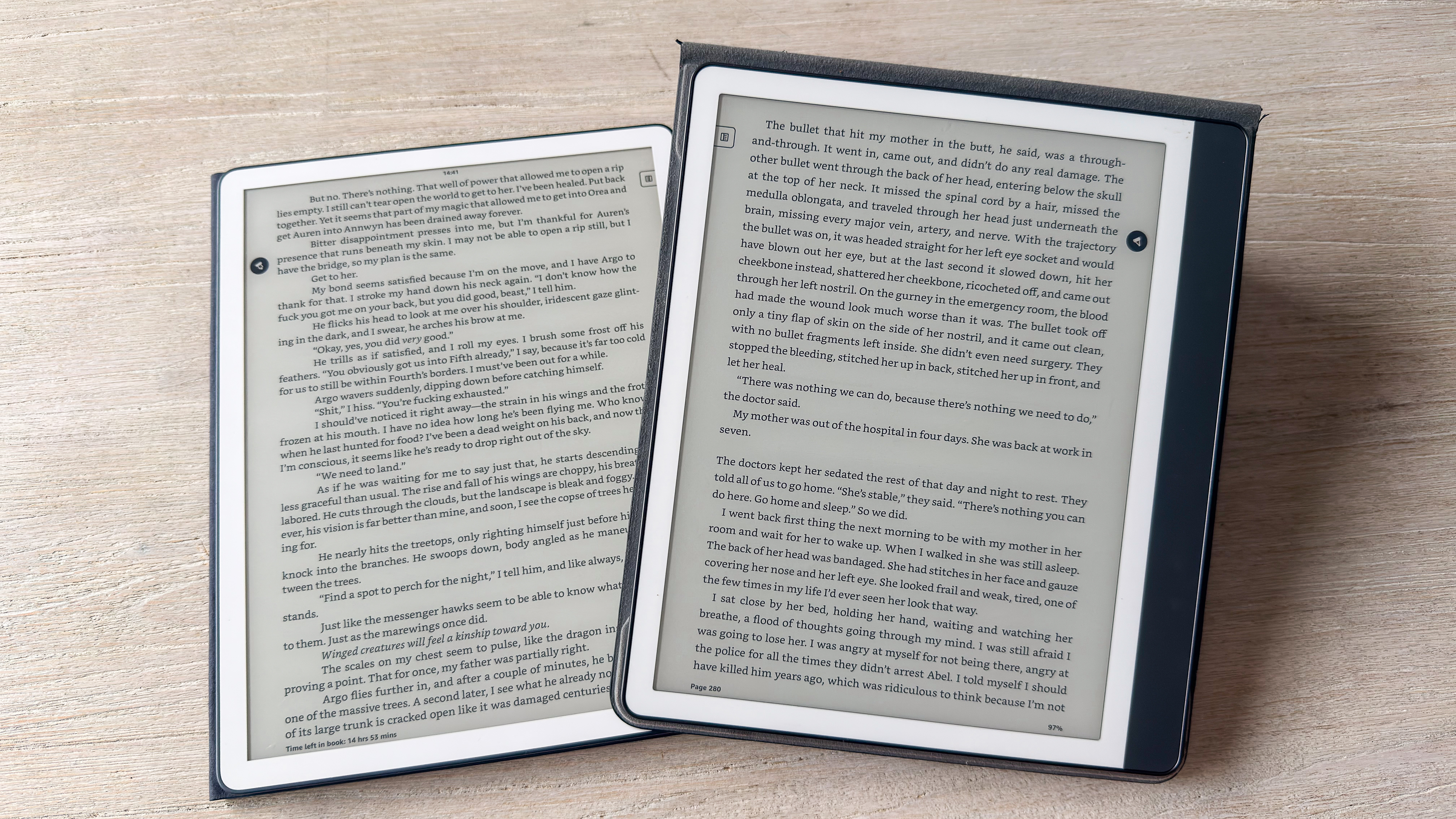
I sadly had the 3rd-generation Kindle Scribe for just two weeks for this review, but I ensured I spent as much time as I could with it. As I’ve previously mentioned, I spent an average of 4-5 hours with it each day during that time, sometimes more, both reading and writing.
I was able to access my existing library as soon as I signed into my Amazon account, but I also uploaded some new EPUBs using the Send To Kindle web platform. I also connected the Scribe to my Google Drive account to transfer a couple of PDFs to the device, but I also saved select notes to the cloud, which automatically upload as PDFs with handwriting (no automatic text conversion takes place, but you can manually trigger that on the Scribe if you wish).
I tried the Smart Shapes feature and used the new AI search to test if it would be able to summarize my own review notes for me, which is successfully did. Handwriting conversion was also tested, albeit using a colleague’s scrawl (I hate to admit but I can’t scribble chicken scratchings no matter how hard I try).
Kindle Unlimited and Audible were also accessed on the device, and I was able to pair a JBL Bluetooth speaker for listening.
Learn more about how we test devices here at TechRadar
[First published July 2026]

